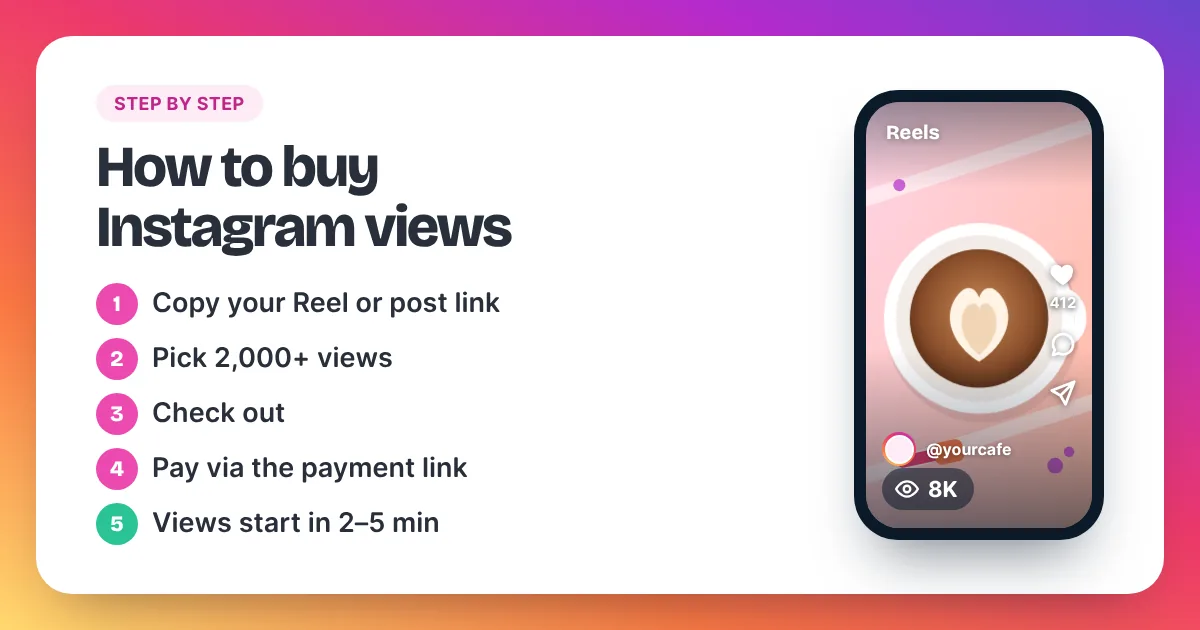
This guide shows exactly how to buy Instagram views, from copying the right link to watching the count climb. It covers Reels, feed videos and photo posts, with real prices at each step. Whether you want to purchase Instagram views for one Reel or for a few posts, the steps are the same.
We sell Instagram views ourselves, so the steps follow our own order box. The checks and mistakes below apply to any seller, though.
How do you buy Instagram views?
To buy Instagram views, copy the link of a public Reel or post, paste it into a views order box and choose how many views you want. Then check out, send the order and pay through the payment link you get back. Delivery starts within 2–5 minutes after payment. You never share your password.
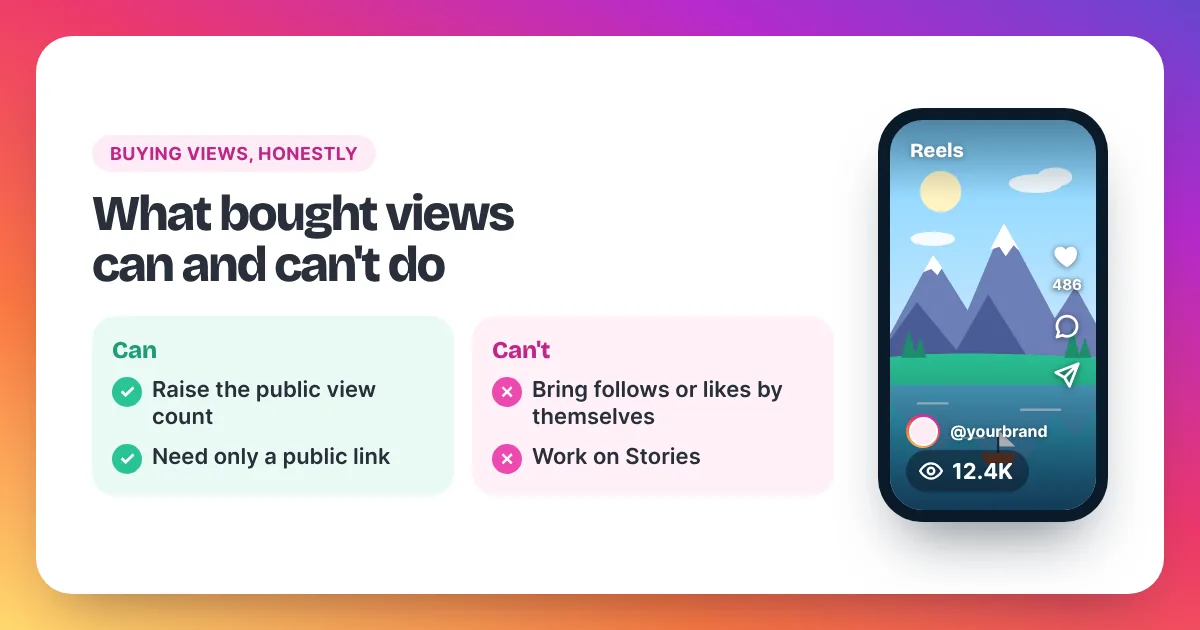
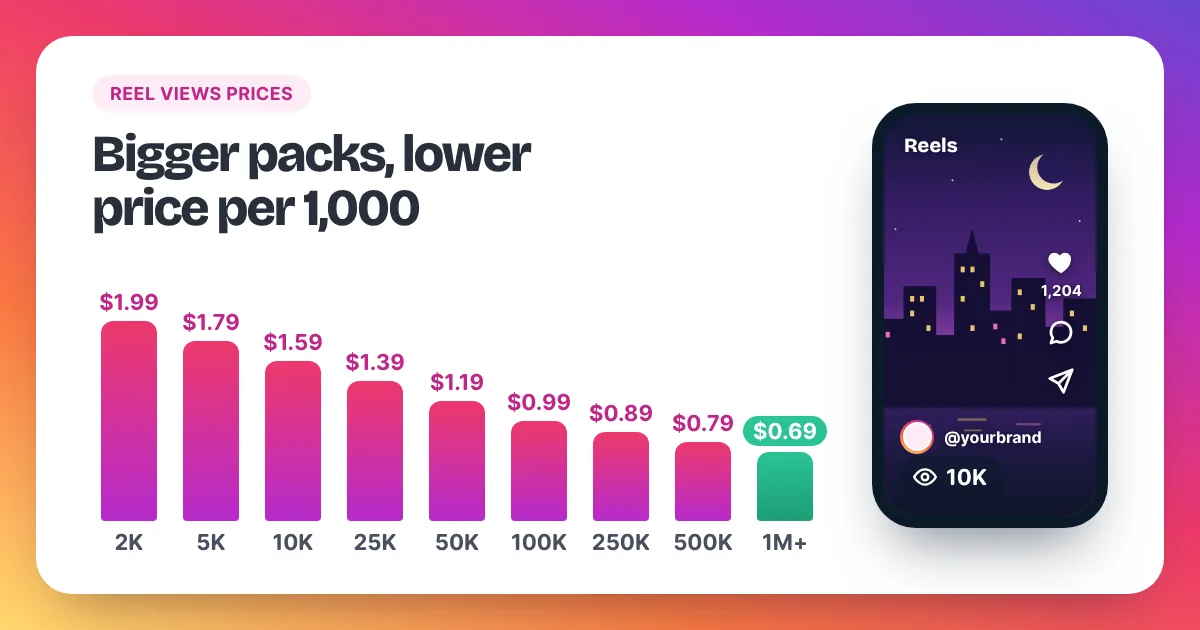
Buying Instagram views on Instaviews takes five steps. First, copy the link of a public Reel (instagram.com/reel/…) or post (instagram.com/p/…). Second, choose an amount from 2,000 to 5,000,000 views. Prices start at $1.99 per 1,000, so 2,000 views cost $3.98, and fall to $0.69 per 1,000 on orders of 1,000,000 or more. Third, paste the link into the order box, set your amount and review the order on the checkout page. Fourth, send the order on WhatsApp or by email, and we reply with a payment link. Fifth, delivery starts within 2–5 minutes after payment is confirmed, and the views arrive at a steady pace. No password is needed at any step, and Story and profile links are not accepted. Meta's Spam policy lists attempts to "artificially increase viewership", and Instagram can remove plays it treats as inauthentic. So keep each order in proportion to your normal views.
Here is the whole process at a glance:
| Step | What you do | What you need |
|---|---|---|
| 1. Copy the link | Tap Share, then Copy link, on your Reel or post | A public account |
| 2. Choose your views | Pick 2 to 5 times your normal views | Your average views per Reel |
| 3. Build the order | Paste the link, set the amount, check out | Your email address |
| 4. Send and pay | Send the order on WhatsApp or by email, then pay through the payment link | The payment link we send you |
| 5. Watch delivery | Views start within 2–5 minutes after payment | Your IV- order reference, if you have a question |
Our homepage shows the short version in how to buy views on Instagram in 3 steps. This guide adds the details that stop an order from going wrong.
What should you check before you buy Instagram views?
Before you buy Instagram views, check four things. Your account is public. You have the right link type: /reel/ for Reels or /p/ for posts. The link is not a Story, Live or profile link. And the post will stay live until the order is complete.
- Your account is public. Views can only reach a post that anyone can open. In Instagram, open Settings, then Account privacy, and make sure Private account is off.
- You have the right link type. A Reel link looks like instagram.com/reel/… and a feed post link looks like instagram.com/p/…. Feed posts include photos, videos and carousels. Both types work.
- It is not a Story, Live or profile link. These links are not accepted. A profile link (instagram.com/yourname) points to your whole account, not to one post, so views have nowhere to go.
- The post stays live. Don't archive, delete or hide the post until your order is complete. Views cannot reach a post that is gone.
One more tip: let one order finish before you start another on the same post. That way each result is easy to see.
Step 1: How do you copy your Instagram Reel or post link?
Open the Reel or post in the Instagram app, tap Share, then tap Copy link. The link is now on your phone's clipboard, ready to paste. Copy it from the Reel or post itself, not from your profile page. Your profile link will not work for a views order.
Here are the exact taps in the app:
- Open Instagram and go to your profile.
- Tap the Reel or post you want views on, so it opens on its own.
- Tap the Share icon on that Reel or post.
- Tap Copy link.
On a computer, open the post in your browser and copy the address from the address bar. Before you move on, look at the link. If it has /reel/ in it, it is a Reel. If it has /p/ in it, it is a feed post. Either one works.
| Link type | Looks like | Accepted? |
|---|---|---|
| Reel | instagram.com/reel/… | Yes |
| Feed post (photo, video or carousel) | instagram.com/p/… | Yes |
| Profile | instagram.com/yourname | No |
| Story or Live video | A Story or Live link | No |
Step 2: How many Instagram views should you choose?
Choose 2 to 5 times your normal views per Reel. That lifts the post clearly above your average without looking out of place. To find your average, add up the views on your last 10 Reels and divide by 10. The smallest order is 2,000 views and the largest is 5,000,000.
Here is a worked example. Say your last 10 Reels add up to 20,000 views. Your average is 20,000 ÷ 10 = 2,000 views per Reel. Two to five times that is 4,000 to 10,000 views. These are the prices for that range:
| Views | Rate per 1,000 | Price |
|---|---|---|
| 4,000 | $1.99 | 4 × $1.99 = $7.96 |
| 5,000 | $1.79 | 5 × $1.79 = $8.95 |
| 8,000 | $1.79 | 8 × $1.79 = $14.32 |
| 10,000 | $1.59 | 10 × $1.59 = $15.90 |
Your order size sets your rate, and the price never goes above the next bigger pack. For example, 4,800 views at $1.99 per 1,000 would come to $9.55. The 5,000 pack costs $8.95, so 4,800 views cost $8.95 too. In that case, take the full 5,000.
If your Reels usually get under 1,000 views, start with the smallest order: 2,000 views for $3.98. Our homepage table on how many Instagram views to buy suggests an order for every account size. To work out the cost of any amount, use our Instagram views prices page.
Step 3: How do you build the order and check out?
Paste your link into the order box on our homepage and set the quantity. The box checks the link and shows the total price as you type. Then tap Grow My Views to open the checkout page. There you review the order and add your email address.
In detail, the order box works like this:
- Paste the link. Paste it into the field "Link to your Reel or post", or tap the Paste button. The box checks the link and tells you if it is a Reel or a post.
- Set the quantity. Type your number, or tap the +1K, +5K, +10K, +50K or +100K buttons to add views. The minimum is 2,000 and the maximum is 5,000,000.
- Check the total. The total price updates as you change the quantity, so you know the cost before you go on.
- Go to checkout. Tap Grow My Views. The checkout page opens with your order.
The checkout page shows a summary called "Review your order". It lists your Instagram link, the service, the number of views, the price per 1,000, what you save and the total. Check the link one more time here. If anything is wrong, tap Edit order to go back. Then enter your email address, so we can reach you about the order.
Step 4: How do you send the order and pay?
On the checkout page, tap Order on WhatsApp or Order by email. Each button opens a message with your order details and an order reference that starts with IV-. Send the message. We reply with a payment link that shows the total and the payment options. Then you pay on that page.
A few points make this step smooth:
- Send the message as it is. It already holds your link, your amount, the total and your order reference.
- Keep your order reference. It looks like IV- followed by six letters and numbers. It is in the message you sent us, and it helps us find your order fast.
- Check the total on the payment page. It should match the total from the checkout page.
- Never send a password. We never ask for your login, at this step or any other.
There is no account to create. The link you paste is all we need to deliver your views.
Step 5: What happens after you pay for Instagram views?
Delivery starts within 2–5 minutes after your payment is confirmed. The views then arrive at a steady pace until your order is complete, and larger orders take longer. Our views are non-drop. If you have a question, email support with your IV- order reference.
This is what to expect after payment:
- Payment confirmed: we confirm your order reference on WhatsApp or by email.
- 2–5 minutes later: delivery starts and your view count begins to climb.
- Until the order is done: views keep arriving at an even pace, not in one sudden jump.
Support answers 24/7 by email at support@instaviewspanel.com. Send your order reference, or the Instagram link you ordered for if you cannot find it. If you ordered on WhatsApp, you can also ask in that same chat. Our order status page explains the same steps.
You get a full refund if delivery has not started within 24 hours after payment and your link was valid and public. You also get a full refund if we cannot deliver, or if you were charged twice. Our refund policy lists every case.
How do you buy views on Instagram Reels?
To buy views on Instagram Reels, open the Reel, tap Share, then Copy link, and check that the link contains /reel/. Paste it into the order box, choose your amount and check out. The views show in the Reel's public view count, which counts every play and replay.
Reels are the most common reason people ask how to buy views for Instagram. Instagram counts a Reel view each time the Reel starts to play or replays, with no minimum watch time. Meta defines views as the "total number of times IG Media has been played on Instagram". So the count measures plays, not people.
Three tips for Reels in particular:
- Pick a Reel you believe in. In our opinion, views work best on a strong new Reel, such as a launch or a product demo. Views bring attention, and your content has to keep it.
- Use one order per Reel. Each order goes to one link. For three Reels, place three orders: 3 × 2,000 views cost 3 × $3.98 = $11.94.
- Bigger single orders cost less per view. For comparison, 6,000 views on one Reel cost 6 × $1.79 = $10.74, because the rate drops from 5,000 views.
Our page to buy Instagram Reel views has the full Reel price list and tips. If your link has /p/ in it, use the page to buy Instagram video views instead. It covers feed videos, photos and carousels.
What mistakes should you avoid when you buy Instagram views?
The biggest mistakes are sharing your password, making your account private while views are still arriving, and ordering far more views than your posts normally get. Wrong links cause most other problems: a Story link, a profile link, or a post that is deleted or archived before the order is complete.
- Sharing your password. A views order only needs a public link. Any seller or app that asks for your login is a red flag. Third-party apps with your password can take over your session or get your account locked.
- Going private during delivery. Views stop reaching the post while your account is private. Stay public until the order is complete. You can switch back to private afterwards.
- Ordering far above your normal views. 200,000 views on a Reel that usually gets 800 looks out of place. Stay within 2 to 5 times your average.
- Using the wrong link. Story, Live and profile links are not accepted. Copy the link from the Reel or post itself.
- Removing the post too early. Don't archive, delete or hide the post until the order is complete.
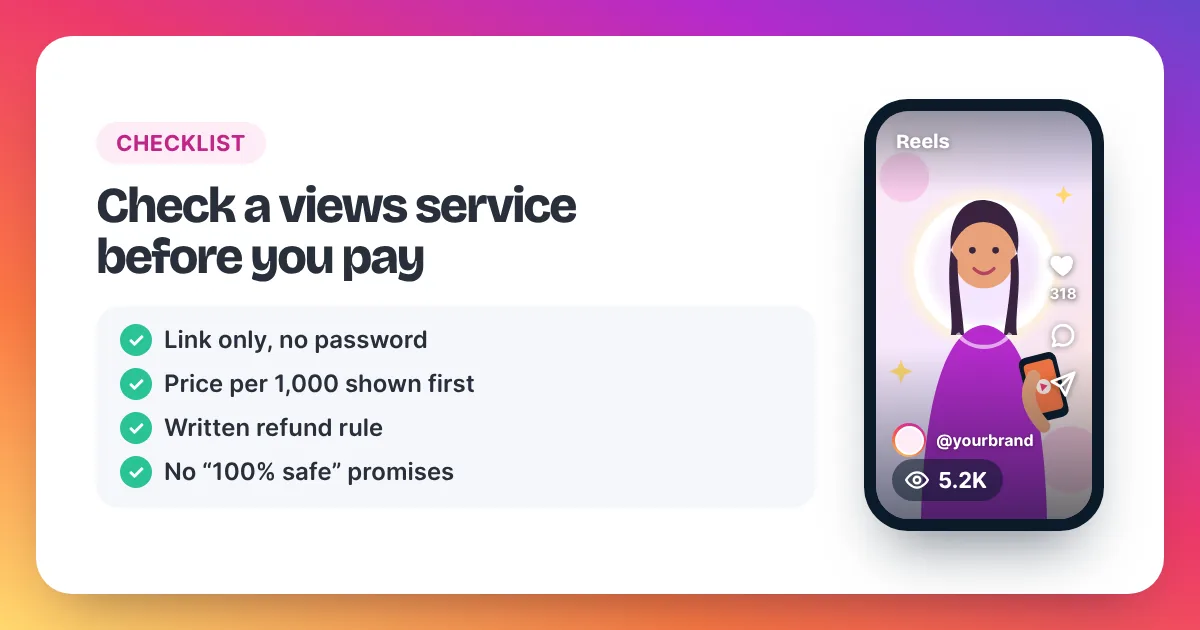
- Paying a seller with no clear rules. Check the price per 1,000, the refund rule and the contact email before you pay. Our 9-point checklist for choosing a views service covers every point.
Be honest with yourself about the rules, too. Meta's Spam policy lists attempts to "artificially increase viewership", and Instagram can remove plays it treats as inauthentic. Nobody can promise how Instagram treats a single post. Small orders, in proportion to your account, are the sensible approach.
How to buy Instagram views: FAQ
How long does it take to buy IG views?
Building the order and checking out takes a few minutes. After you send the order, we reply with a payment link. Delivery starts within 2–5 minutes after your payment is confirmed. The views then arrive at a steady pace, and larger orders take longer to complete.
Do I need to give my password or log in?
No. We never ask for your password or any login. Every order uses only the public link to your Reel or post. If any seller asks for your Instagram password, don't order from them.
Can I buy views for a private account?
No. Your account must be public while the order runs, because views can only reach a post that anyone can open. You can switch back to private once the order is complete.
Can I split one order across several posts?
No. Each order goes to one Reel or post link. For several posts, place one order per link. Each order starts from 2,000 views, which cost $3.98.
How do I pay for Instagram views?
Build your order, then send it to us on WhatsApp or by email from the checkout page. We reply with a payment link. That page shows the total and the payment options before you pay.
What if my views have not started?
First check that your account is public and the post is still live. Then email support@instaviewspanel.com with your IV- order reference. If delivery has not started within 24 hours after payment and your link was valid and public, you get a full refund.
Is it allowed to purchase Instagram views?
You can, but Meta's rules discourage it. Meta's Spam policy lists attempts to "artificially increase viewership", and Instagram can remove plays it treats as inauthentic. Keep each order in proportion to your normal views, and never share your password.