On Instagram, Reels are where strangers are most likely to hear your song. Someone hears fifteen seconds while scrolling, taps the audio, and either saves it or moves on. Promoting music on Instagram is mostly about giving people more of those fifteen-second chances, in the right order, around your release.
This guide is the plan: how to set up your profile, what to post in the two weeks before release, what to do on release day and the week after, and where a small paid start on your teaser Reel fits. If you only want the paid options side by side, read our comparison of Instagram music promotion options. We sell Reel and video views, so we say plainly where views help and where they don't.
How do you promote music on Instagram?
Promote music on Instagram with short Reels built around the best part of your song. Post teaser Reels in the weeks before release, use the track in a new Reel on release day, invite other creators to collab, keep fans updated in Stories, and put the release link on your profile. Post often during release week.
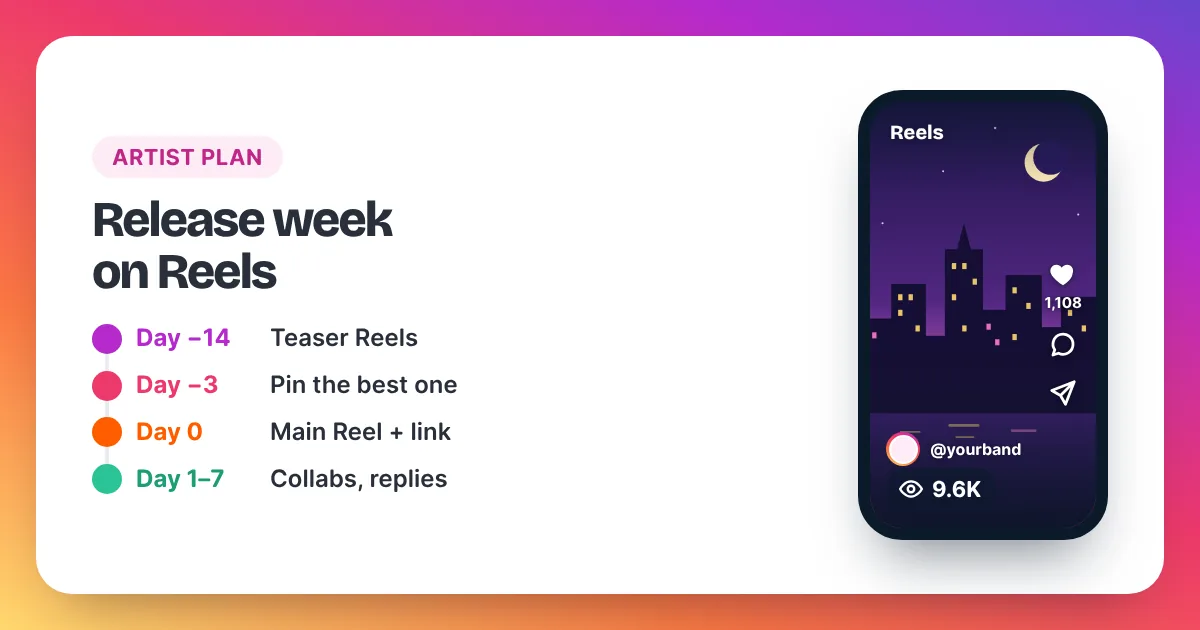
Instagram promotion for a song works best as a short campaign, not a single post. Start about two weeks before release with two or three teaser Reels that open on your strongest few seconds, such as the hook, the drop or a lyric that sticks. Use Instagram's Insights to see which teaser holds people best, then build the release-day Reel around that moment. Instagram's Help Center explains that licensed music in a Reel is credited to the artist and track, and that the Reel is added to that song's audio page, so every Reel that uses your released track also points to it. During release week, post one Reel a day if you can, reply to comments with new clips, and invite another creator to a collab Reel so it reaches their audience too. Stories keep your existing fans informed. A small paid views start on the main teaser can help it look watched when new listeners land on it, but it won't bring streams by itself.
How should musicians set up an Instagram profile?
Set up Instagram for musicians with a professional (creator) account, so you get Insights on every Reel. Put the release date and a link in your bio, pin your best teaser to the top of your grid, and make sure your name and photo match your streaming profiles so listeners know they found the right artist.
A few minutes of setup makes every Reel work harder:
- Switch to a professional account. It's free, and it unlocks Insights, which you need to compare teasers. Open Settings, then Account type and tools.
- Write the bio for a stranger. Say who you are and what you make in one line, then add "New single out [date]".
- Add your release link. Put your pre-save or streaming link in your bio links, and update it on release day.
- Pin the teaser. Instagram's Help Center says you can pin up to three posts to the top of your profile. Pin the teaser that performs best.
- Check your audio access. Instagram says its licensed music library isn't available for every account type or country. If you can't find a song in the library, Instagram suggests its Sound Collection instead.
Is your song on Instagram, and why does it matter?
It matters because a released song that sits in Instagram's audio library gets its own audio page, and every Reel that uses it shows up there. Fans can then make their own Reels with your track. Your distributor or label decides where a release goes, so ask them whether it will be available on Instagram.
Instagram's Help Center describes licensed audio as copyrighted audio in Instagram's library, credited to the artist and the track name. It also says that when Instagram detects licensed audio in a Reel posted as original audio, it can change the credit to the artist and song and add the Reel to that song's audio page.
Two practical points follow from that:
- Before release, your teasers carry the track as original audio from your own upload. Instagram's Help Center says that on a public account, anyone can record a Reel with your original audio, so fans can already use it.
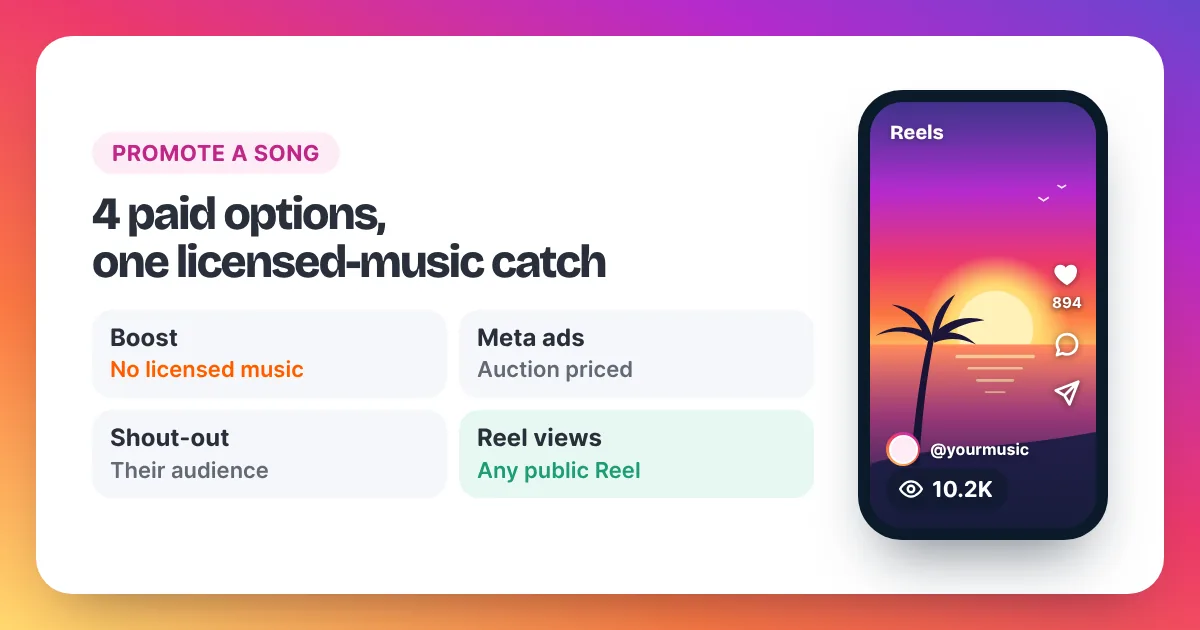
- For paid boosting, licensed music is a limit. Instagram's Help Center says Reels with licensed music can't be boosted, and it suggests original audio or Sound Collection music. Our music promotion comparison covers what that means for your budget.
What should a teaser Reel show?
A teaser has one job: make someone want the rest of the song. Open on sound and movement, not on a logo or a title card. These five formats work for most genres:
- The hook, straight away. Start on the catchiest few seconds with the lyric on screen.
- The making of. A studio moment, a voice memo, a first take next to the final mix.
- The story line. One sentence on screen about what the song is about, over the chorus.
- The performance. A live or bedroom take, filmed vertically, with good sound.
- The challenge. A move, a transition or a duet idea that others can copy with your audio.
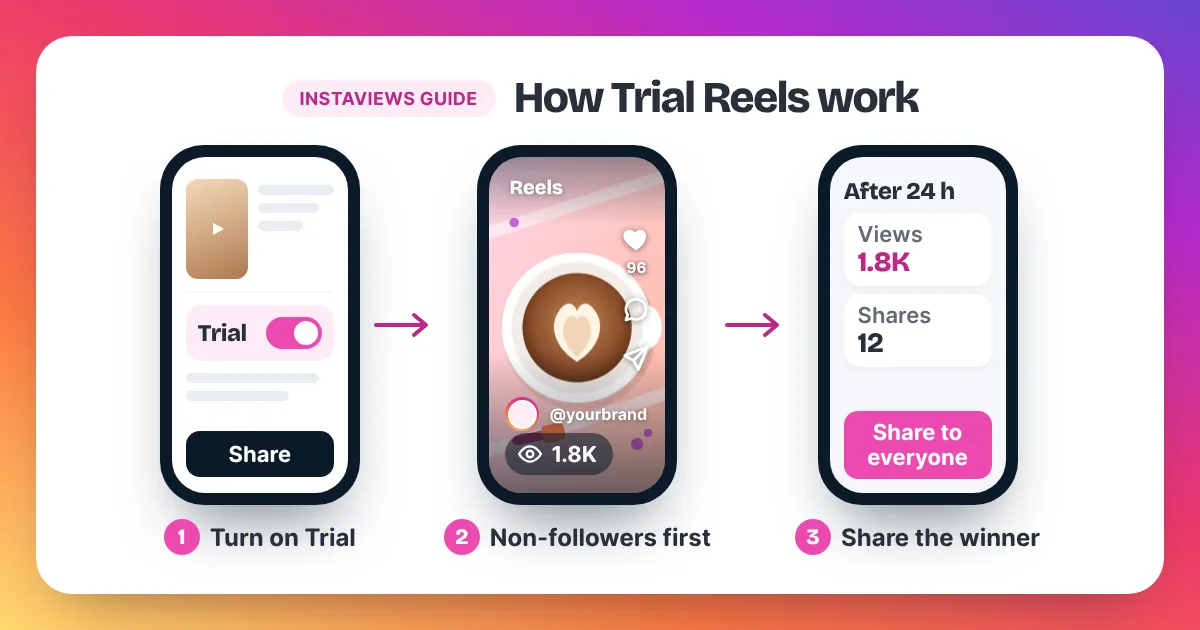
Add captions or on-screen lyrics, because many people scroll with the sound low. If you have a professional account, Instagram's Trial Reels feature lets you test a teaser on non-followers first. Our guide to Instagram Trial Reels shows how to read the results.
The release-week plan, day by day
This is a plan, not a rule. Shift the days to fit your release date, and swap any format that doesn't suit your music. The timings are our suggestion, not an Instagram requirement.
| Day | Reel | Stories and profile |
|---|---|---|
| 14 days before | Teaser 1: the hook, lyric on screen | Announce the date; update the bio |
| 10 days before | Teaser 2: making-of clip | Pre-save link in Stories |
| 7 days before | Teaser 3: performance or story line | Ask fans which teaser they liked |
| 3 days before | Repost the best teaser's moment in a new edit | Countdown in Stories; pin the best teaser |
| Release day | Main Reel with the full hook and "out now" | Streaming link in bio and in Stories |
| Days 1–3 after | A collab Reel, plus replies to comments as new Reels | Share fans' Reels that use your track |
| Days 4–7 after | Lyric Reel, live clip or challenge | Thank-you Story; keep the link up |
Keep a note of each Reel's views, shares and saves in its first 24 hours. The teaser that wins tells you which part of the song to lead with on release day. Instagram's insights can take up to 48 hours to settle, so compare like with like.
How do collabs help a release?
Collabs help because one Reel reaches two audiences. Instagram's collab feature lets you invite another account as a collaborator, and once they accept, the Reel appears on both profiles. Pick a creator whose followers would actually enjoy your music, such as a dancer, a producer or another artist in your genre.
Meta announced that collab posts and Reels show on each collaborator's profile and reach each collaborator's audience. That makes a collab the closest thing to a free shout-out. Good collab ideas for musicians:
- A dancer or creator choreographs a move to your hook.
- A producer shows how they built the beat.
- Another artist sings a verse or a harmony with you.
- A local venue or radio show posts a live clip with you as collaborator.
If you pay a creator to post, Meta's branded content rules ask them to use the paid partnership label. Paid shout-outs are covered in our paid music promotion guide.
What are Stories for in a music campaign?
Stories are for the fans you already have. Use them for the countdown, behind-the-scenes clips, polls on which teaser to post next, and the link on release day. Instagram's link sticker lets viewers tap straight through to your pre-save or streaming page, though Instagram says new accounts may not have access to it yet.
Stories don't show up in the Reels feed, so they rarely bring new listeners. That's why the plan above puts Reels first. We don't sell Story views; our orders are for Reels, videos and posts only.
Where does a 2,000–10,000-view start fit?
A 2,000 to 10,000-view start fits on your main teaser or release-day Reel, once it is posted and already doing as well as your usual Reels. It makes the Reel look watched when new listeners land on it. It won't add streams, followers or saves by itself, and it can't fix a weak opening.
In our opinion, use views on one Reel per release, not on every post. Pick the teaser your fans responded to best, and keep the order in proportion. Add up the views on your last 10 Reels and divide by 10. Two to five times that average looks natural. If your Reels average 1,500 views, a 5,000-view order fits.
| Your usual Reel views | Suggested start | Price |
|---|---|---|
| Under 1,000 | 2,000 views | $3.98 |
| 1,000 to 2,500 | 5,000 views | $8.95 |
| 2,500 to 5,000 | 10,000 views | $15.90 |
A views order works on any public Reel link, whatever audio it uses. Delivery starts within 2–5 minutes after payment, at a steady pace, and the views are non-drop. Be aware that Meta's Spam policy lists attempts to "artificially increase viewership", and Instagram can remove plays it treats as inauthentic. Our page to buy Instagram Reel views has every pack, and our homepage guide to choosing an order size goes further.
How do you know if your promotion worked?
You know it worked when Reels from release week beat your usual numbers on shares, saves and follows, not only views. Check each Reel's Insights after 48 hours, compare it with your average, and look at link taps in your profile. Streams are counted on the streaming service, not on Instagram.
Look at these numbers for every release-week Reel:
- Views and accounts reached: how far it travelled.
- Shares and saves: the clearest sign people liked the song.
- Follows from the Reel: whether new listeners want more.
- Reels using your audio: check your track's audio page once the song is out.
Our guide to Instagram Insights explained shows where each number lives. For more general Reel habits, see how to get more Instagram Reel views.
Promoting music on Instagram: FAQ
Can I promote my music on Instagram for free?
Yes. Teaser Reels, collabs, Stories, a clear bio and steady posting cost nothing but time. Paid options, such as Boost, Meta ads, paid shout-outs or a views order, only add to a plan that already works.
Should a musician use a creator or business account?
Both are professional accounts with Insights. Instagram says its licensed music library isn't available for every account type, so check that you can still find songs in the library after you switch. If you can't, switch account type, or use Instagram's Sound Collection for clips that don't feature your own song.
Can I boost a Reel that uses my own song?
If Instagram treats the song as licensed music, no. Instagram's Help Center says Reels with licensed music can't be boosted. A teaser posted as original audio may still be eligible, but Instagram can re-credit original audio it detects as licensed. The Boost button tells you for sure.
How many Reels should I post in release week?
In our opinion, one a day if you can make them well, and at least three or four. Fewer, better Reels beat many rushed ones. Keep each one built around a different moment of the song.
Do bought views bring streams?
Not by themselves. Views raise the count on one Reel. Some new viewers may tap the audio or your link if they like the song, but no seller can promise streams, followers or a hit.
Do you sell Story views or plays on my song?
No. We sell views on public Reels, videos and posts only. We don't sell Story views, streams, followers or likes.