You have an idea for a Reel, but you're not sure it will land. Maybe it's a new topic, or a style your followers have never seen from you. Trial Reels let you test it on people who don't follow you first. If it works, you share it with your followers. If it flops, it stays out of their Feed.
This guide explains what Trial Reels are, who can use them, how to post one, how to read the results and how to use them to test hooks. The feature details come from Instagram's and Meta's own announcements and are correct at the time of writing (October 2026). Instagram changes its menus often, so labels in your app may look a little different.
What are Trial Reels on Instagram?
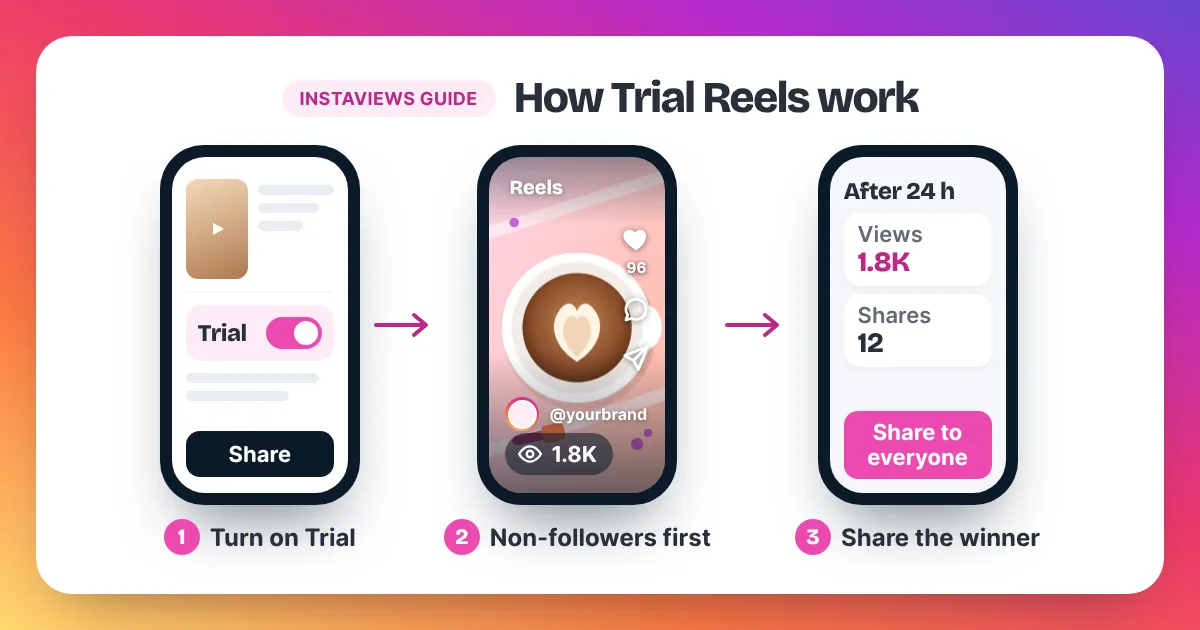
Trial Reels are Reels that Instagram shows to people who don't follow you first. Your followers won't see them in Feed or the Reels tab, and they stay off your profile grid. About 24 hours after posting, you can check the results, then share the Reel with everyone or leave it as a test.
Instagram Trial Reels are a way to test a Reel on non-followers before your followers see it. Instagram announced the feature in December 2024. You turn a Reel into a trial with a "Trial" toggle just before you share it. Instagram then shows the Reel to people who don't follow you. Your followers won't see it in their Feed or the Reels tab, and it stays off your profile grid and your profile's Reels tab. About 24 hours after you share it, Instagram shows the trial's views, likes, comments and shares in the Reels viewer, and compares it with your earlier trials. You can then share it with everyone in one tap, or let Instagram share it automatically if it performs well based on the views it gets in its first 72 hours. Instagram has not published what "performing well" means in numbers.
Why does this exist? Many creators hold back new ideas because they worry an off-topic Reel will annoy their followers. A trial removes that worry. Instagram doesn't promise that a trial will perform well, so treat each one as a test.
Who can use Trial Reels?
When Trial Reels launched, Instagram said you needed a professional account, with some personal accounts included in tests. Features roll out in stages, so availability may have changed since launch. If you don't see the Trial toggle, update the app first, then check whether a free professional account unlocks it.
Instagram's announcements don't mention a minimum number of followers. Some guides online quote follower thresholds, but Instagram hasn't confirmed them in its official posts, so don't plan around them. Features also roll out in stages, so two accounts can see different options for a while.
Switching to a professional account is free. Open Settings, go to Account type and tools, and choose Creator or Business. A professional account also gives you Insights, which you will want for reading any Reel's numbers. Our guide on how to see your Instagram views shows where each number lives.
How do you post a Trial Reel?
To post a Trial Reel, create a Reel as you normally would. Before you tap Share, turn on the Trial toggle. Instagram will show the Reel to non-followers first. You can also let Instagram share it with your followers automatically if it performs well in its first 72 hours.
- Open Instagram, tap the plus button and choose Reel.
- Record or upload your video. Add audio, text and captions as usual.
- Tap Next to reach the screen where you write your caption.
- Before you share, tap the toggle to turn on Trial.
- Choose how it reaches your followers: share it yourself later, or let Instagram share it automatically if it performs well based on its views in the first 72 hours.
- Tap Share. The Reel now goes to non-followers first.
You can change the automatic sharing choice at any time, according to Instagram's announcement. If you're not sure which to pick, start with manual sharing. That way you read the numbers yourself before your followers see anything.
Where are Trial Reels on Instagram?
Your Trial Reels sit on your own profile, next to your drafts, according to Meta's announcement. They don't appear on your main grid or in your profile's Reels tab while they are trials. Once you share a trial with everyone, it moves to your profile grid like any other Reel.
This answers a common worry: will Trial Reels show on my profile? Not while they are trials. Visitors to your profile won't see them on the grid. After you choose to share with everyone, Instagram says the Reel lives on your profile grid and becomes eligible to be shown to your followers across Instagram.
How do you read Trial Reel results?
About 24 hours after you post, open the Trial Reel from your profile. Instagram shows its views, likes, comments and shares in the Reels viewer, and compares it with your earlier trials. Judge a trial against your other trials, not against Reels your followers saw, because the audience is different.
| Number | What it tells you in a trial | Watch out for |
|---|---|---|
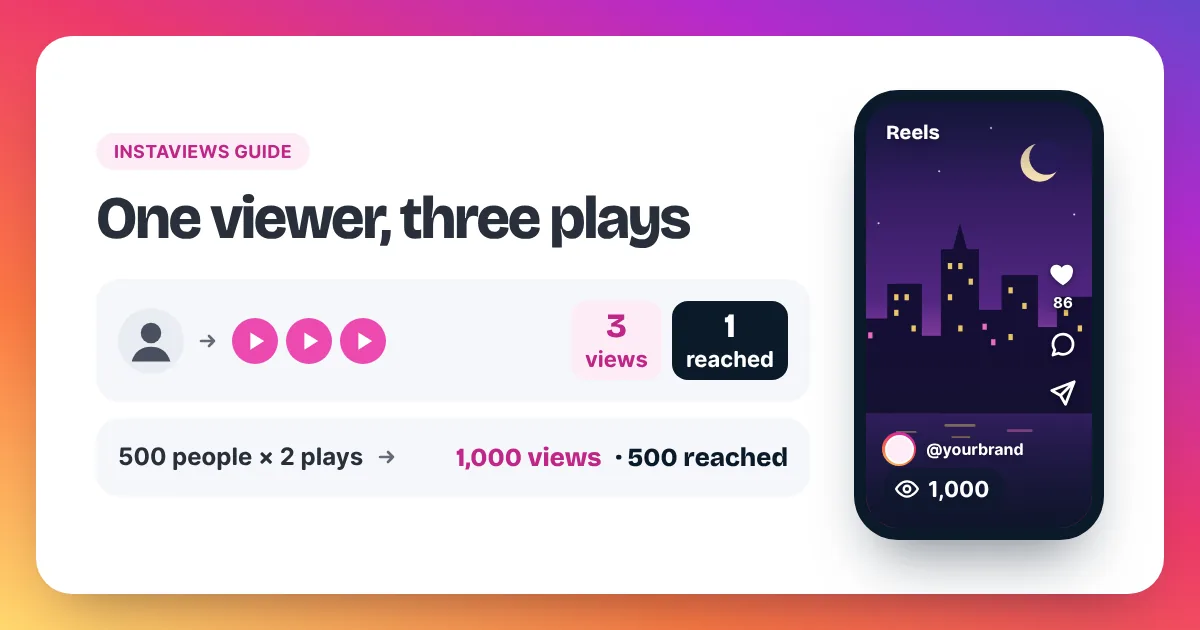
| Views | How often strangers started or replayed the Reel | Replays count too, so views are higher than people |
| Likes | Whether non-followers enjoyed it | Likes are easy to give and say little alone |
| Comments | Whether it started a conversation | Read them: questions often hint at your next Reel |
| Shares | Whether people found it worth sending on | Often the strongest sign a Reel can travel |
Views follow the same rule as any Reel. Instagram counts a view each time a Reel starts to play or replays, with no minimum watch time. Our homepage section on how Instagram counts views explains this in short, and our guide to views on Instagram covers each metric in detail.
Here is a simple way to compare two trials. Say Trial A gets 1,800 views and 12 shares. Trial B gets 600 views and 1 share. Divide shares by views and multiply by 1,000. Trial A earns about 6.7 shares per 1,000 views. Trial B earns about 1.7. Trial A didn't just reach more people. It also gave each viewer more reason to pass it on.
When should you share a Trial Reel with your followers?
Share a Trial Reel with your followers when it beats your earlier trials on views and also on shares or comments, not on one number alone. If you'd rather not decide, the automatic option lets Instagram share it if it performs well based on its views in the first 72 hours.
- Share it when it is above your trial average on views and on shares or comments.
- Keep it as a trial when views are fine but nobody engages. The topic may be right and the content weak.
- Rework it when views are low. Change the first two seconds and try again as a new trial.
- Leave it when it doesn't fit your account, even if the numbers are good. Your followers chose you for a reason.
Followers judge differently from strangers. A Reel that works with non-followers usually also works with followers, but not always. Inside jokes and behind-the-scenes clips often land better with people who already know you.
How do you use Trial Reels to test hooks?
To test hooks with Trial Reels, post two or three versions of the same Reel as trials, changing only the first two seconds. Post them close together, wait about 24 hours and compare views and shares. Share the winner with everyone and reuse the lesson in your next Reel.
- Pick one thing to test: the opening shot, the on-screen text, or the first spoken line.
- Make two or three versions. Keep everything else the same.
- Post each version as a Trial Reel within the same hour.
- Wait about 24 hours, then compare views, shares and comments.
- Share the best version with everyone.
- Write down what won, so the next Reel starts from it.
Test one change at a time. If you change the hook, the music and the caption at once, you won't know which one made the difference. Trials also work for bigger questions, such as a new topic, a new format or a longer video. For hook ideas worth testing, see our 15 steps on how to get more Instagram Reel views.
Why are my Trial Reels not getting views?
Trial Reels get few views for the same reasons any Reel does: a slow opening, low video quality, no clear topic, or content Instagram won't recommend to non-followers. A trial only reaches people who don't follow you, so it depends fully on recommendations. Your followers can't rescue it.
- The first second is slow. Strangers swipe away fast. Open with the payoff or a clear question.
- The video looks rough. Use good light, clear sound and a vertical frame.
- Your account can't be recommended. Instagram's Account Status, in Settings, shows whether your content is eligible to be recommended to non-followers. Content that goes against Instagram's Recommendation Guidelines can still reach followers, but Instagram tries not to recommend it to others.
- It's too soon. Instagram shows trial results after about 24 hours. Judge it then.
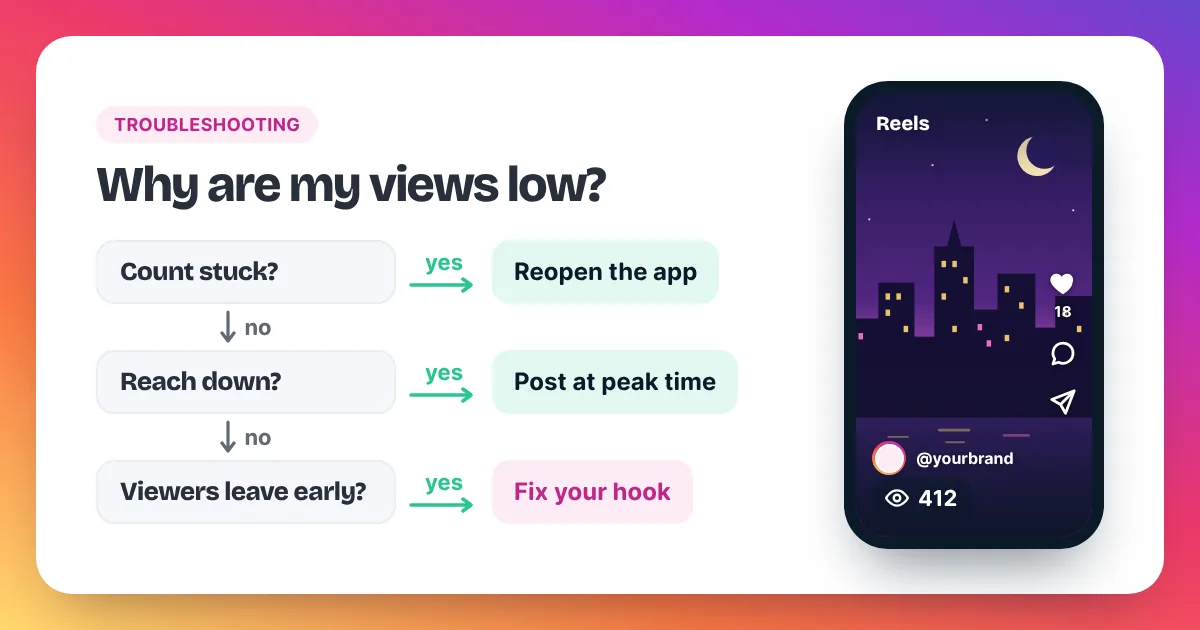
If your normal Reels are also stuck, the problem is bigger than one trial. Our guide on why your Instagram views are low walks through 11 causes and the fixes to try.
Can Trial Reels go viral?
A Trial Reel can reach far, because Instagram shows it to non-followers through recommendations. But nothing guarantees it, and Instagram hasn't published how many people a trial is first shown to. Treat a trial as a test, not as a shortcut to going viral.
"Viral" also means different things for different accounts. A Reel that reaches ten times your usual views is a big win for a small account. Our guide on how many views is viral on Instagram gives clear benchmarks.
Are Trial Reels worth it?
For most creators, yes. A trial costs nothing but one extra tap, and it protects your followers from your experiments. The trade-offs are small but real:
| Good | Less good |
|---|---|
| Test new ideas without cluttering your grid | You wait about 24 hours for results |
| Your followers' Feed stays on-topic | You only learn how strangers react |
| Instagram compares each trial with your earlier ones | Instagram hasn't said what "performing well" means |
| One tap to share a winner with everyone | The feature may change, as Instagram features often do |
FAQ
Who sees my Trial Reel?
People who don't follow you. Instagram says your followers won't see it in their Feed or the Reels tab while it is a trial.
How long until I see Trial Reel results?
About 24 hours. Instagram then shows views, likes, comments and shares in the Reels viewer.
What happens if I never share it with everyone?
It stays a trial. It won't appear on your main grid or your profile's Reels tab, and your followers won't see it in Feed.
Can I change the automatic sharing setting later?
Yes. Instagram's announcement says you can change it at any time.
Is there a follower minimum for Trial Reels?
Instagram's announcements don't mention one. If you can't find the Trial toggle, update the app and check your account type.
Should I buy views on a Trial Reel?
No. Extra views during a trial would blur the test you're running. Read the trial first, share the winner with everyone, and then decide whether to give it a push.