You posted a Reel and want to know how it's doing. Instagram shows that number in more than one place, and each post type works a little differently. Reels show a count on the video. Photos and carousels keep their numbers in Insights. Stories show a list of viewers instead.
This guide walks you through each one, on your phone and on a computer, and explains what to do when a count doesn't show up. For the four-step version, see our homepage section on how to see your Instagram views.
Where do you see views on Instagram?
You see Instagram views in two places: on the Reel itself and in Insights. Every Reel shows its view count on the video and on its thumbnail in your profile's Reels tab. Professional accounts can also tap View insights for views, replays, watch time and accounts reached.
Instagram views show up differently for each type of post, so it helps to know where to look. For Reels, the view count sits on the video and on each thumbnail in the Reels tab of your profile, and anyone can see it unless you hide it. Most new videos are shared as Reels, so the same steps apply to them. For photo and carousel posts, the number lives in Insights, which comes free with a Creator or Business account. Stories are different again: they show a list of the accounts that viewed them. The count itself follows one rule. Instagram counts a view each time a Reel starts to play, and again each time it replays, and Meta's developer documentation defines views as the "total number of times IG Media has been played on Instagram". That is why views are often higher than accounts reached, which counts different people.
How to see views on a Reel
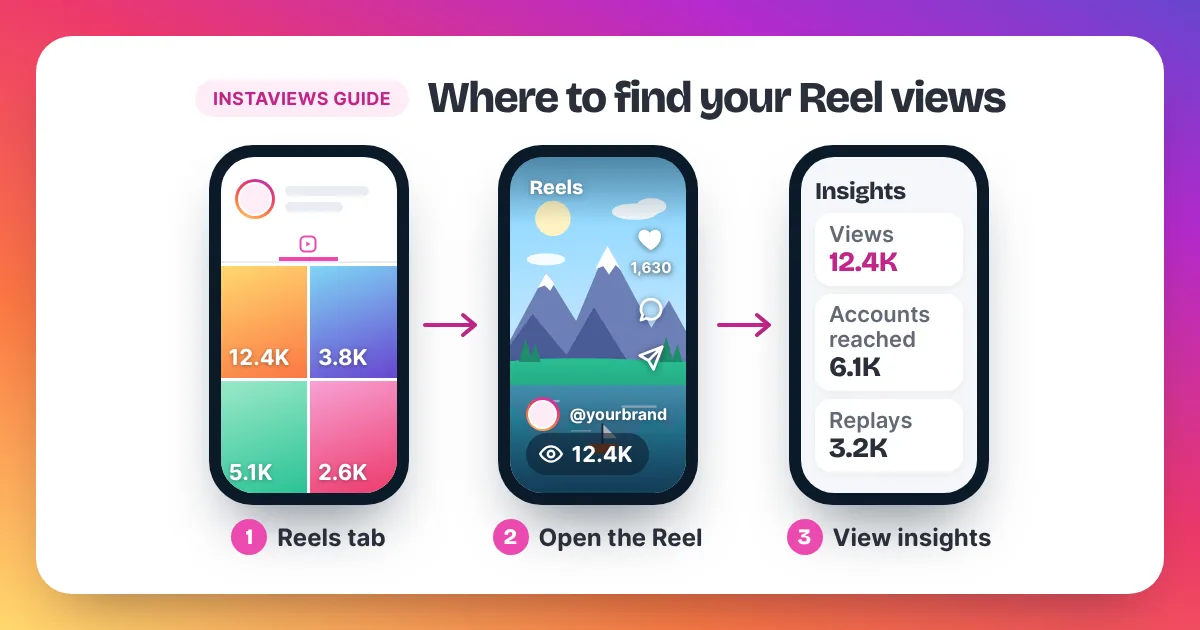
To see views on a Reel, open your profile and tap the Reels tab. Each Reel shows its view count on the thumbnail. Tap a Reel to see the count on the video. On a professional account, tap View insights for the full breakdown, including replays and accounts reached.
On iPhone and Android
The steps are the same on both phones:
- Open Instagram and go to your profile.
- Tap the Reels tab. Each Reel shows its view count on the thumbnail.
- Tap a Reel to open it and see the count on the video.
- On a Creator or Business account, tap View insights to see views, replays, watch time and accounts reached.
On a computer
Open Instagram in your web browser, sign in and go to your profile. Open your Reels and you can see their view counts there. The layout on a computer changes more often than in the app, and the fullest Insights breakdown is in the mobile app. If you need replays, watch time or accounts reached, check them on your phone.
How to see views on a photo or carousel post
Photo and carousel posts don't show a play count on the post the way Reels do. To see their views, use a professional account: open the post and tap View insights. You will see views and accounts reached. If you have a personal account, switch to a professional one for free first.
You can switch for free in Settings, under Account type and tools. Pick Creator or Business. Both give you Insights, and you can switch back later.
A view on a photo or carousel works a little differently from a Reel. There is nothing to play, so a view counts each time the post shows on someone's screen. A carousel that someone swipes through still sits in one post, so its numbers appear together in that post's Insights.
How to see video views
To see video views, open the video and look for the count on the video, just like a Reel. Most videos you post today are shared as Reels, so they also appear in the Reels tab of your profile with a view count on each thumbnail. View insights gives the full numbers.
Older video posts can look a little different from Reels. If you can't find the count on the video, open the post and use View insights on a professional account. The Insights screen lists views together with accounts reached, so you can see both the plays and the people.
How to see Story viewers
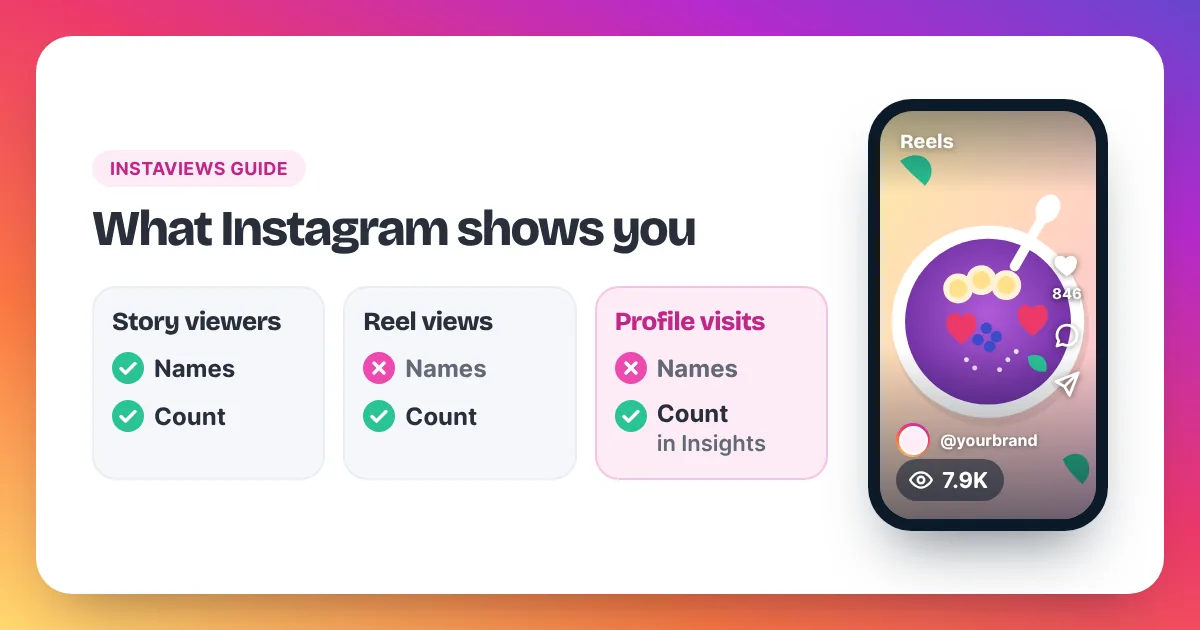
Stories show who watched them, not just a number. Open your own Story while it is still live and look at the bottom of the screen for the list of viewers. Professional accounts can also find Story numbers in Insights. Story viewers are the one place Instagram shows names.
Story viewers work differently from Reel views. A Story goes mainly to people who already follow you, and Instagram lists the accounts that saw it. The list is only available for a limited time, so check it while the Story is fresh. We don't sell Story views: our service works with Reel and post links only, and you can read how on our Instagram Reel views page.
How to see total views in Insights
To see total views in Insights, you need a professional account. Switch for free in Settings under Account type and tools, then open Insights from your profile. It shows views across your content for the time range you pick, and View insights under each post shows that post's numbers.
- Open Settings and go to Account type and tools.
- Switch to a professional account and choose Creator or Business.
- Go back to your profile and open Insights.
- Pick a time range to see total views and accounts reached.
- Tap any post to compare it with the rest.
Insights shows why a number looks the way it does. Views count every play, including replays. Accounts reached counts different people. If 500 accounts each watch a Reel twice, you get about 1,000 views but 500 accounts reached. Our guide on how views on Instagram are counted explains each metric in more detail.
What each number in Insights means
- Views: every play or display of the post, including replays.
- Replays: plays after the first one. A high number often means the Reel loops well.
- Watch time: how long people kept watching. Short watch time points to a slow opening.
- Accounts reached: the number of different accounts that saw the post.
Read these numbers together, not one at a time. A Reel with many views but few accounts reached is being rewatched by a small group. A Reel with wide reach but short watch time is being shown to many people who leave early, so the opening needs work. Compare each post with your own recent average, not with other accounts.
Why can't I see views on my post?
You can't see views on a post for a few common reasons: it is a photo or carousel, which keeps its numbers in Insights; the like and view count is hidden; you have a personal account without Insights; or the app needs an update. A count can also lag for a few minutes.
- It's a photo or carousel. Use View insights on a professional account.
- The count is hidden. If you chose Hide like and view count from the three dots on the post, others won't see the number. You still see it in Insights. Our guide on how to hide views on Instagram explains this setting.
- You have a personal account. Switch to Creator or Business for free.
- The app is out of date. Update Instagram and reopen it.
- The count is lagging. Close and reopen the app, then check again later.
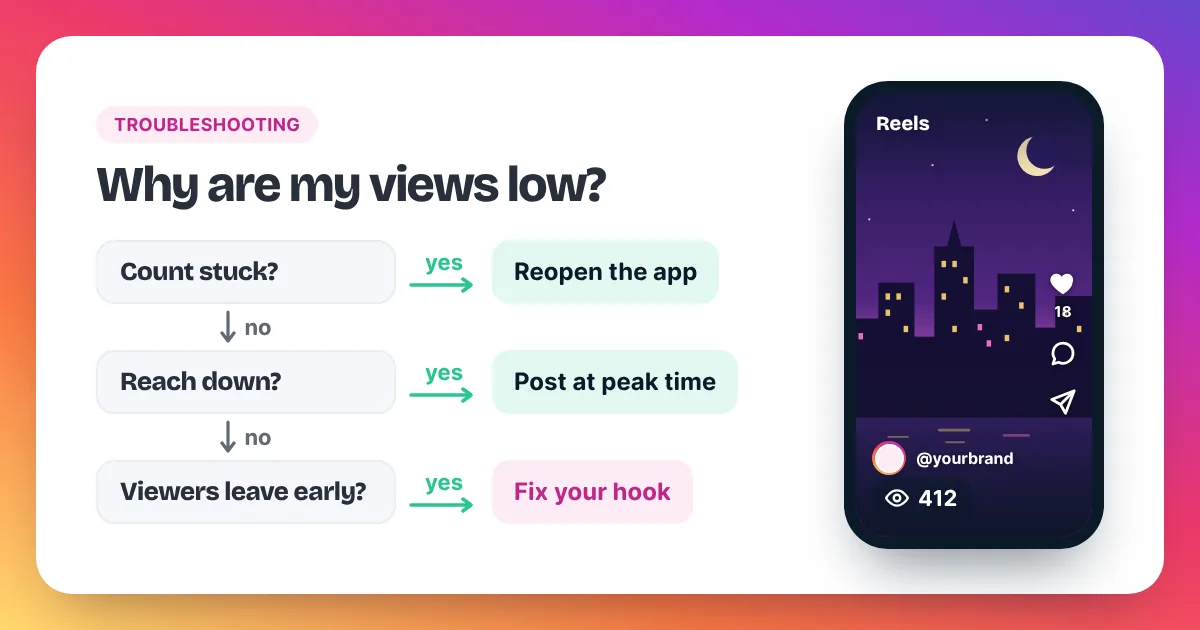
Instagram's Help Center has a page called "Why video views aren't showing up on Instagram" for problems that last longer. If the count shows but stays low, our guide on why your Instagram views are low walks through 11 causes and their fixes.
Can you see who viewed your Reel?
No. Instagram does not show a list of who viewed your Reel or video. You see the total view count, plus the names of people who liked or commented. Stories are the only format with a viewer list. Insights gives totals and accounts reached, but never names of viewers.
Apps that promise a list of Reel viewers can't get that data from Instagram. Many of them ask for your Instagram password, which you should never give to a third-party app. Profiles work the same way: our guide on how to see profile views on Instagram explains what Insights does and doesn't show.
FAQ
Can other people see my view count?
Yes, on Reels, unless you hide the like and view count. Photo and carousel views stay in your Insights.
How often does the view count update?
Instagram doesn't publish a fixed schedule. The number can lag for a few minutes, so reopen the app before you worry.
Why are my views higher than accounts reached?
Views count every play, including replays, while accounts reached counts people. One person watching three times adds three views and one account reached.
Do my own views count?
Instagram does not publish a clear rule. Either way, the number that matters is how many other people watch your Reel.
How can I get more views to check?
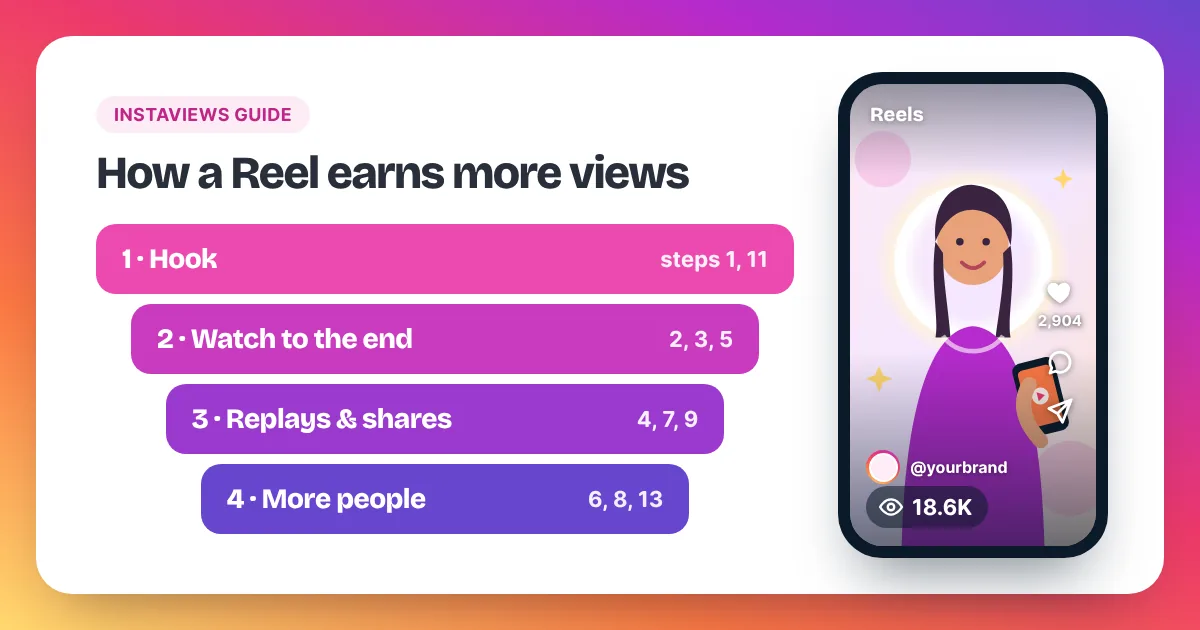
Start with the first two seconds of your Reel, add captions and post when your followers are online. Our guide on how to get more Instagram Reel views lists 15 steps.