Wondering who has been looking at your Instagram profile? You are not alone, and you will find plenty of apps that promise to tell you. The honest answer is short: Instagram doesn't show who viewed your profile. It does show you some useful numbers, though, and they can help you grow.
This guide explains what you can see, where to find it, how profile visits compare with Story viewers and post views, and why "who viewed my profile" apps are best avoided.
Can you see who viewed your Instagram profile?
No. Instagram does not show who viewed your profile, and other people can't see that you viewed theirs. Instagram's Help Center says Instagram doesn't let people see who views their profile. On a professional account, Insights shows how many times your profile was visited, but never the names of the visitors.
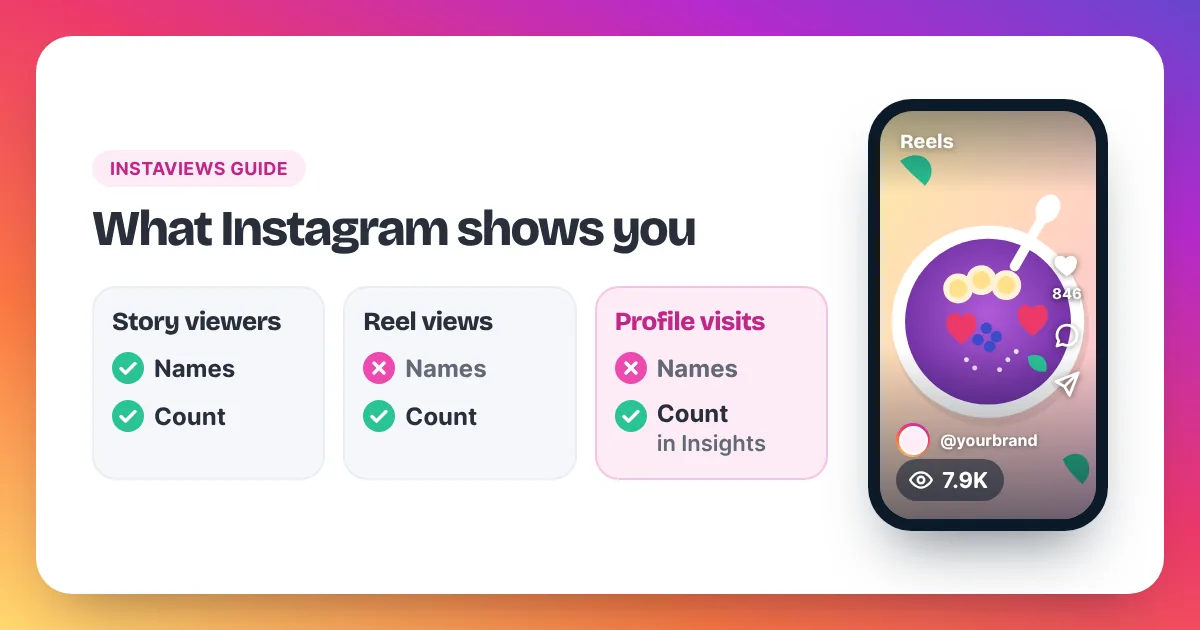
Instagram profile views are private by design. Instagram's Help Center states that Instagram doesn't let people see who views their profile, so no setting, account type or paid plan unlocks a list of visitors. What you can see depends on your account type. A personal account shows no profile-visit numbers at all. A Creator or Business account, which you can switch to for free in Settings under Account type and tools, unlocks Insights. Insights includes your profile activity, such as how many times people visited your profile in a chosen time range, as a total count without names. Other formats work differently. Stories show a list of the accounts that watched them. Reels show a public view count but no list of viewers. So if you want to know how many people are looking at your profile, Insights has the answer. If you want to know exactly who, Instagram keeps that private for everyone.
How to check profile visits in Instagram Insights
To check profile visits, switch to a free professional account, open Insights from your profile and look at your profile activity for a chosen time range. Instagram shows how many times your profile was visited. It never shows who visited, and the exact labels can change between app versions.
- Open Settings and go to Account type and tools.
- Switch to a professional account and choose Creator or Business. It is free.
- Go back to your profile and open Insights.
- Pick a time range, such as the last week or the last month.
- Look for the part of Insights about your profile activity. It shows profile visits as a number.
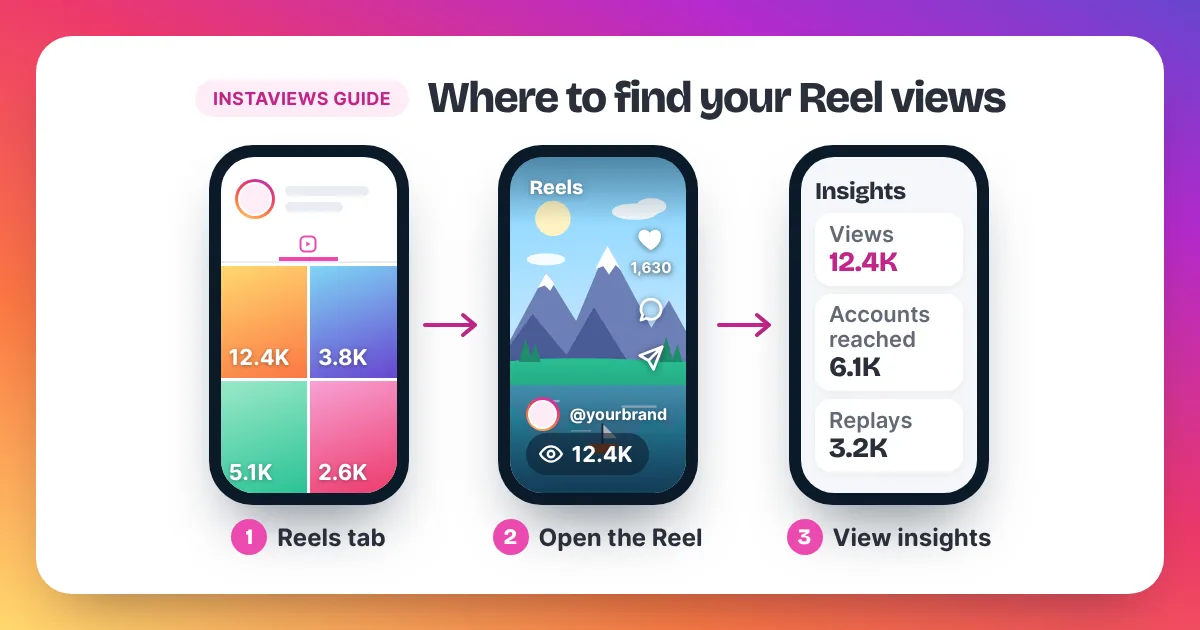
The same Insights screens also show views and accounts reached for your Reels and posts. Our homepage has a short guide on how to see your Instagram views, and our full guide covers where to find views on Reels, posts and Stories.
Use profile visits as a trend, not a score. Compare one week with the next. If visits rise after a certain Reel, that Reel is sending people to your profile, and you can make more like it.
A simple way to read profile visits
Put profile visits next to your views for the same week. Say your Reels got 2,000 views and your profile got 40 visits. That is 2 visits for every 100 views. Next week, try a Reel that ends with "part 2 is on my profile". If it gets 2,000 views and 80 visits, the ratio has doubled to 4 per 100, and you know the ending worked. These numbers are only an example; your own ratio is the one to beat.
Can you turn profile views on or off?
No. Instagram has no setting to turn profile views on or off, because it doesn't keep a list of profile visitors that you could show or hide. The profile visit count in Insights comes with a professional account. If you switch back to a personal account, you lose access to Insights.
If you see a "turn on profile views" option, it belongs to a third-party app, not to Instagram. Treat it with care, for the reasons in the section on viewer apps below.
You can still control who sees your profile. Instagram's Help Center explains these options under controlling your visibility:
- Make your account private so only followers you approve see your posts and Reels.
- Hide your Story from certain people, or share it with a smaller list.
- Block or restrict accounts you don't want to interact with.
None of these show you who visited. They only limit what other people can see.
Story viewers vs profile visitors vs post views
Instagram treats each type of view differently. Story viewers appear as a list of names. Reel views appear as a public count with no names. Photo and carousel views, and profile visits, appear only as numbers in Insights on a professional account. Only Stories ever tell you who watched.
| What you want to see | Number shown? | Names shown? | Where |
|---|---|---|---|
| Story viewers | Yes | Yes, for a limited time | On your Story; Insights for pros |
| Reel views | Yes, public unless hidden | No | On the Reel; View insights |
| Photo and carousel views | Yes, to you | No | View insights on a professional account |
| Profile visits | Yes, to you | No | Insights on a professional account |
| Likes and comments | Yes | Yes | On the post |
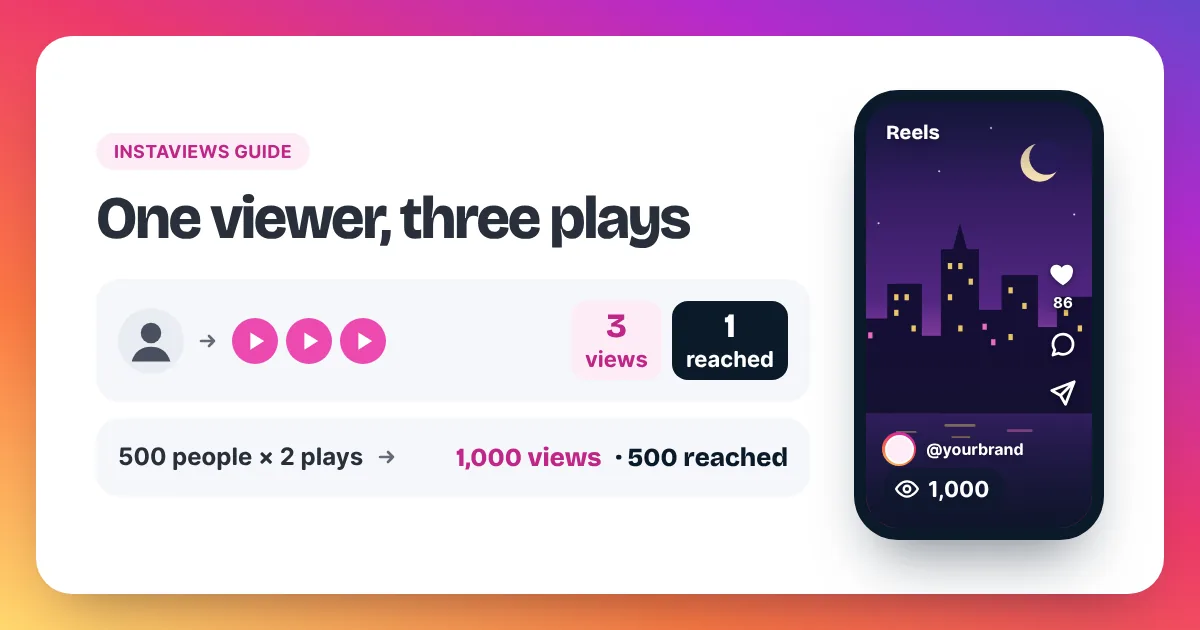
Views and profile visits measure different things. Instagram counts a view each time a Reel starts to play, and again each time it replays. A profile visit counts someone opening your profile page. One person could watch your Reel three times and visit your profile once.
Should you trust "who viewed my profile" apps?
No. Apps that promise to show who viewed your Instagram profile can't get that data, because Instagram doesn't share it. Many ask you to log in with your Instagram password, which can let them take over your account, post spam or get it locked. Don't give them your login.
These apps usually guess. Some show the accounts that like your posts most often and call them "profile stalkers". Others show random followers. None of them can see Instagram's private data.
Warning signs to look for:
- It asks for your Instagram password or a "log in with Instagram" step.
- It needs a download from outside the official app stores.
- It asks you to pay to "unlock" a list of visitors.
Meta's account security advice is simple: keep your password private and turn on two-factor authentication. If you already gave your password to one of these apps, change your password straight away, turn on two-factor authentication and remove the app's access from your Instagram settings.
How to get more people to visit your profile
To get more profile visits, give people a reason to tap your name. Post Reels with a clear hook, make series that continue on your profile, write a bio that says what you post and pin your best posts. More people watching your Reels gives more of them the chance to visit.
- Make Reels people finish. A strong first two seconds keeps viewers around long enough to notice your handle.
- Make a series. "Part 2 is on my profile" gives people a real reason to visit.
- Write a clear bio. One line that says what you post and who it is for.
- Pin your best posts. Visitors decide fast, so show your strongest work first.
- Collaborate. A Collab Reel can appear for another creator's audience too.
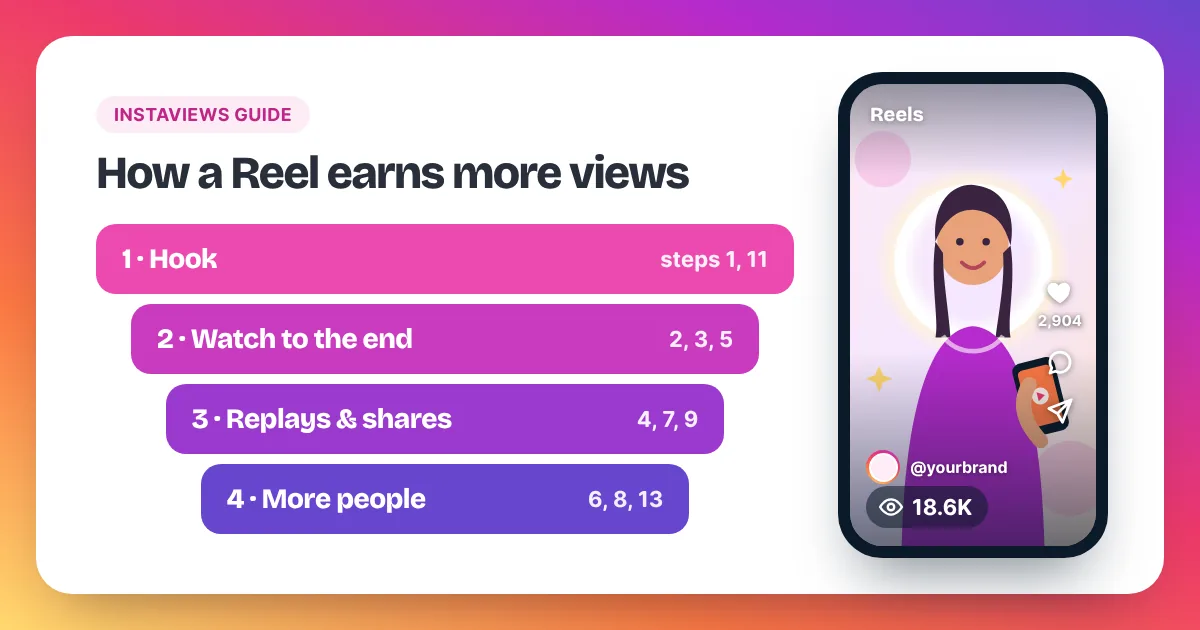
Our guide on how to get more Instagram Reel views covers 15 steps in detail. In our opinion, Reel views and profile visits tend to rise together, because every Reel carries your handle. That is a pattern, not a promise.
FAQ
Does Instagram tell someone if you view their profile?
No. Instagram doesn't let people see who views their profile, so looking at a profile doesn't notify anyone.
Can you see who viewed your Instagram Reels?
No. Reels show a total view count, not a list of viewers. Stories are the only format with a viewer list.
Do profile visits count as views?
No. Views count plays of a Reel or video, and displays of a photo or carousel. Profile visits are a separate number, and our Instagram views glossary defines each term. Our guide to how views on Instagram work explains the difference in full.
Can someone see that I watched their Story?
Yes. Stories are the exception: the person who posted a Story can see a list of the accounts that viewed it. Viewing their profile or their Reels doesn't show up anywhere.
Are profile visits the same as reach?
No. Reach, shown as accounts reached, counts the different accounts that saw your posts. Profile visits count how often people opened your profile page. Many people see a post without ever visiting the profile.
Can I see profile visits on a personal account?
No. Profile visit numbers are part of Insights, which needs a Creator or Business account. Switching is free, and you can switch back later.
Why did my profile visits drop?
Usually because fewer people saw your posts that week. Check views and accounts reached on your recent Reels. When those recover, visits tend to follow.
Who writes these guides?
Instaviews is an Australia-based social media marketing company. You can read more about our team, and our support answers by email 24/7.