Instagram video views usually go missing for one of five reasons Instagram's Help Center lists: the count is still processing, the video sits in a carousel, you are looking in a browser instead of the app, the account is private and below the view threshold, or the video was posted before 19 November 2015.
A missing or falling views count looks like a problem with your Reel, but most of the time it is a problem with where or when you are looking. This guide walks through each reason, explains how Instagram counts views on video, and shows what to check when the number drops.
Why are my Instagram video views not showing?
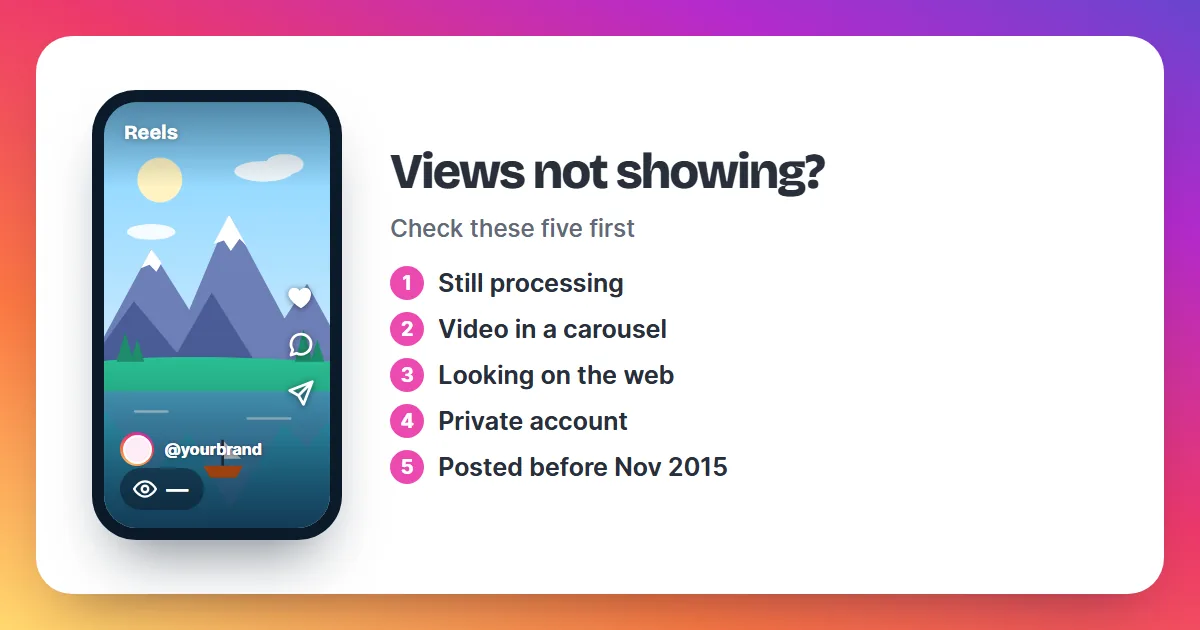
Instagram's Help Center gives five reasons a video's views count does not appear. Check them in this order, because the first two cover most cases.
1. The count is still processing
Instagram says it can take some time for the views count to appear on a new video. If you just posted, close the app, wait a while and check again. A count that stays missing for days points to one of the other reasons.
2. The video is part of a carousel
When a video sits in a post with several photos and videos, Instagram does not show how many people watched that video. Post the video on its own, as a Reel, if you want a views count on it.
3. You are looking in a browser or an embedded post
Views counts appear only in the Instagram app. Instagram on the web and posts embedded on other sites do not show them, so open the app to see the number.
4. The account is private and below the threshold
On a private account, Instagram hides the views count until the video reaches a certain number of views. The Help Center does not say what that number is. Once the video passes it, the count appears.
5. The video was posted before 19 November 2015
Instagram shows views counts only for videos uploaded after 19 November 2015. Older videos never had a count, and none will appear now.
How does Instagram count video views?
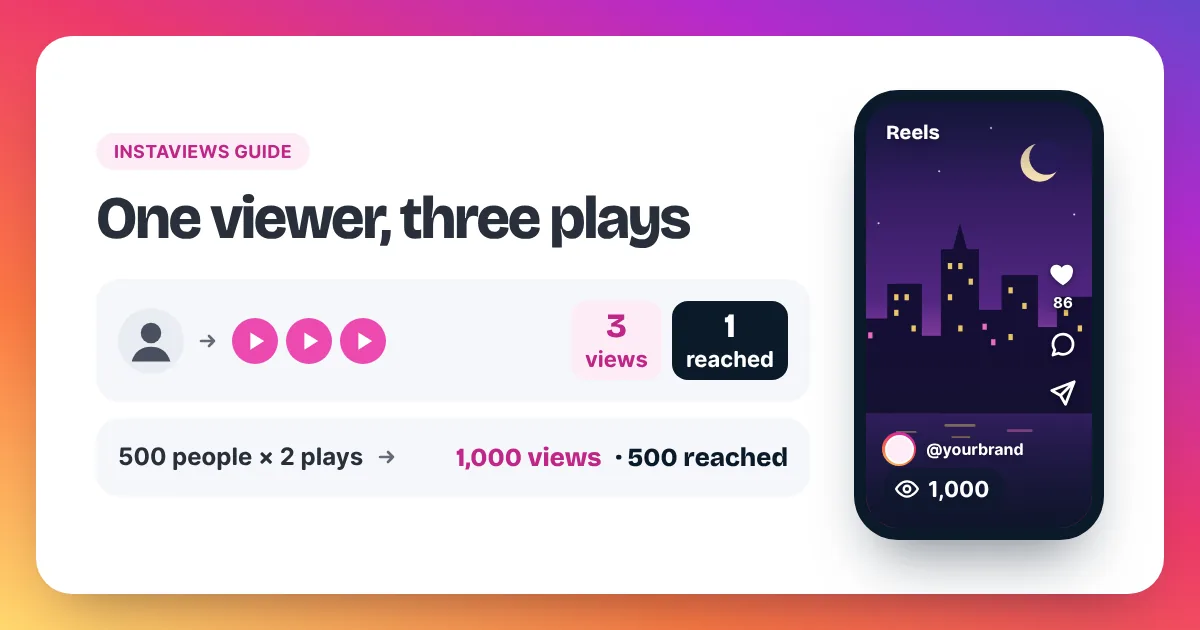
Instagram counts a video view each time a Reel or video starts to play, and again each time it replays. There is no minimum watch time. Instagram's own Reels insights define views as how many times a reel was played or replayed, so one person who watches a Reel three times adds three views. That is why the views count is almost always higher than accounts reached, which counts each account only once, whether or not the video played. The count appears in the Instagram app, can take some time to update after you post, and is hidden on carousel videos and on private accounts below Instagram's view threshold. Insights for Reels are available for Reels posted on or after 14 May 2021 and stay viewable for two years from the date you posted. Together, these rules explain most cases of views that look missing or wrong.
Our guide to views on Instagram covers every part of the count, and Instagram views vs reach explains why the two numbers never match.
Why did my Instagram views suddenly drop?
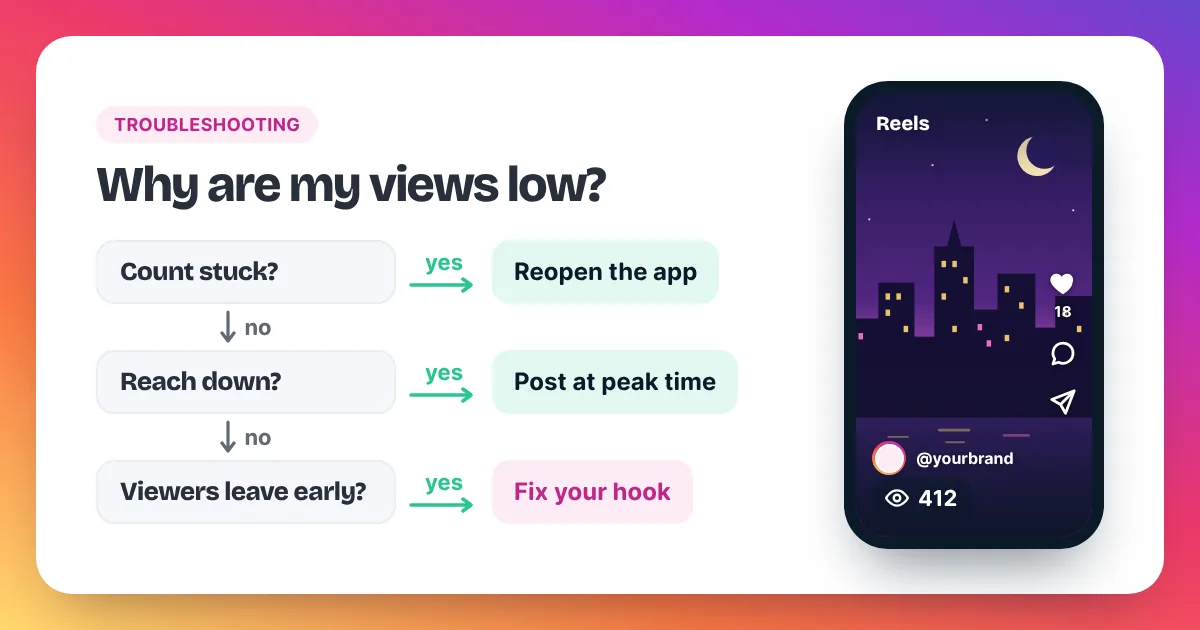
A sudden drop in Instagram views usually means fewer people started your newest videos, not that old views vanished. Compare each new Reel with your own recent average, check that you are reading views and not accounts reached, and remember that Instagram can remove plays it treats as inauthentic.
When the number falls, work through these checks:
- Compare like with like. Views and accounts reached are different numbers. A Reel can show 3,000 views and 1,800 accounts reached at the same time, because replays count as views.
- Compare with your own average. Look at your last 10 Reels in Insights. One low Reel is normal; a steady fall across several points to the opening, the topic or the posting time.
- Check the format. If you started posting videos inside carousels, those videos show no views count, so your total looks lower.
- Check for removed plays. Meta's Spam policy lists attempts to "artificially increase viewership", and Instagram can remove plays it treats as inauthentic. A count that drops on an older Reel can come from that.
If views stay low on every new Reel, our guide on why your Instagram views are low lists 11 causes and the fix for each.
Where can you see the real views count?
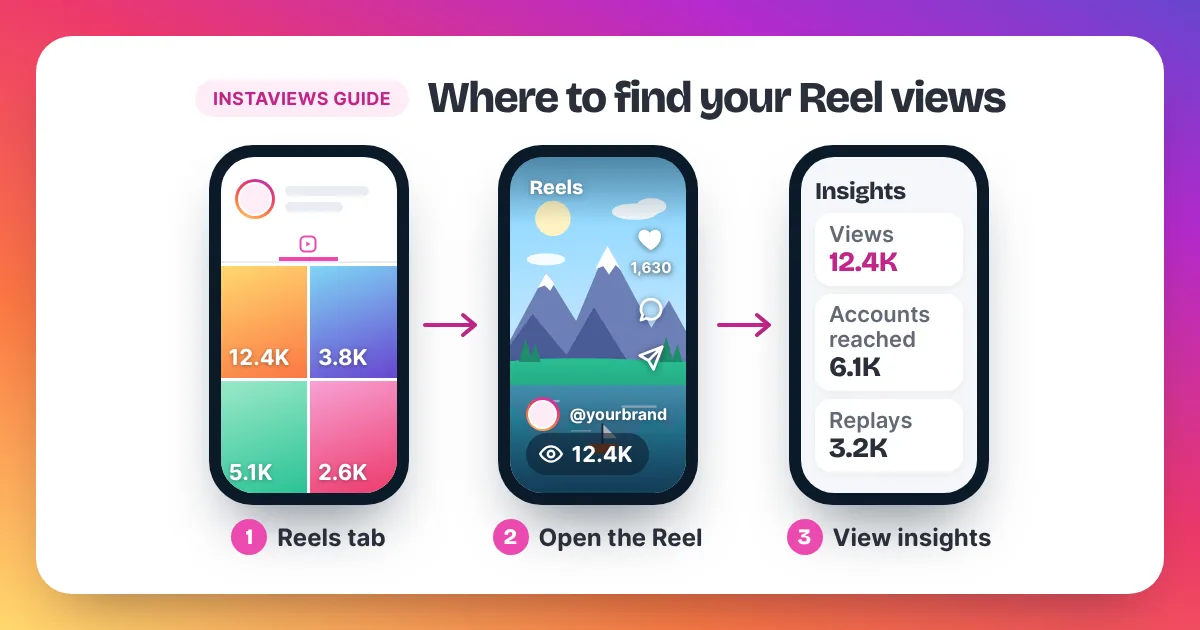
The full numbers sit in your Reel's insights, inside the Instagram app:
- Open your profile and tap the Reels tab.
- Tap the Reel you want to check.
- Tap View insights.
Insights show views, total watch time, average watch time, accounts reached and follows. Instagram calculates average watch time as total watch time divided by initial views, the first time a Reel starts playing in a session. Our step-by-step guide on how to see your Instagram views has screenshots of each screen.
How do you make sure views show on your next video?
Most missing counts can be avoided before you post. Run these four checks on every video you want to measure:
- Post it as a Reel, on its own. A video inside a carousel never shows a views count, so post anything you want to track as a single Reel.
- Decide on public or private first. On a private account the count stays hidden until the video passes Instagram's view threshold. If you need the number from the first hour, post from a public account.
- Check in the app, not on the web. Views counts appear only in the Instagram app, so a browser tab will always show nothing.
- Give it time. The count can take some time to appear. Check after an hour, then again the next day, and compare against your own recent Reels rather than the first few minutes.
These checks also make your numbers comparable from Reel to Reel, which is what you need to spot a real drop.
Do bought views show in the views count?
Views you order from Instaviews are plays on your public Reel or video, so they show in the same views count as every other play, in the Instagram app. They do not appear on a video inside a carousel, and on a private account the count stays hidden until it passes Instagram's threshold, the same as for any view. Instagram can remove plays it treats as inauthentic, so we deliver at a steady pace rather than all at once, and our views are non-drop. If delivery has not started within 24 hours after payment, you get a full refund. Our Instagram views price list shows the cost of every amount from 2,000 to 5,000,000 views.
Views count vs accounts reached: which number is which?
| Number | What it counts | Counts replays? |
|---|---|---|
| Views | Every time the Reel or video starts to play | Yes |
| Accounts reached | Unique accounts that saw the Reel on screen at least once | No, each account once |
| Total watch time | All the time people spent watching, replays included | Yes |
| Average watch time | Total watch time divided by initial views | No, first plays only |
Instagram video views FAQ
Why does my Reel show 0 views?
Right after posting, the count can take some time to appear. If it still shows nothing after a while, check that the Reel is public, that you are in the Instagram app and not a browser, and that the video is not inside a carousel.
Do Instagram views update in real time?
No. Instagram's Help Center says it can take some time for the views count to appear, so the number lags behind the plays happening right now. Check again later rather than refreshing every minute.
Why can't I see views on Instagram on my computer?
Views counts appear only in the Instagram app. Instagram in a web browser and embedded posts do not show them.
Can I see how many people watched a video in my carousel?
No. Instagram does not show a views count for a video that sits in a post with several photos and videos. Post the video as a Reel if the views count matters to you.
Do views on old Instagram videos count?
Videos uploaded before 19 November 2015 show no views count. Reels posted on or after 14 May 2021 have insights for two years from the date you posted.
Do my own replays count as views?
Instagram does not publish a clear rule on whether your own plays count toward your views. Its insights count every play and replay, so judge a Reel by how many other people start it, not by your own replays.