You made a Reel you're proud of, you tap Boost, and Instagram says no. That happens a lot with Reels, because they carry music, stickers and effects that ads can't use. This guide gives you the steps to boost a Reel, the reasons a Reel can't be boosted as Instagram's Help Center lists them, and what to do when the Reel you care about is one of them.
We sell Instagram views, including Reel views, and nothing else. We don't run boosts or ads. If you're still deciding whether a boost is the right spend, read our hub guide first: is boosting Instagram posts worth it?
Can you boost a Reel on Instagram?
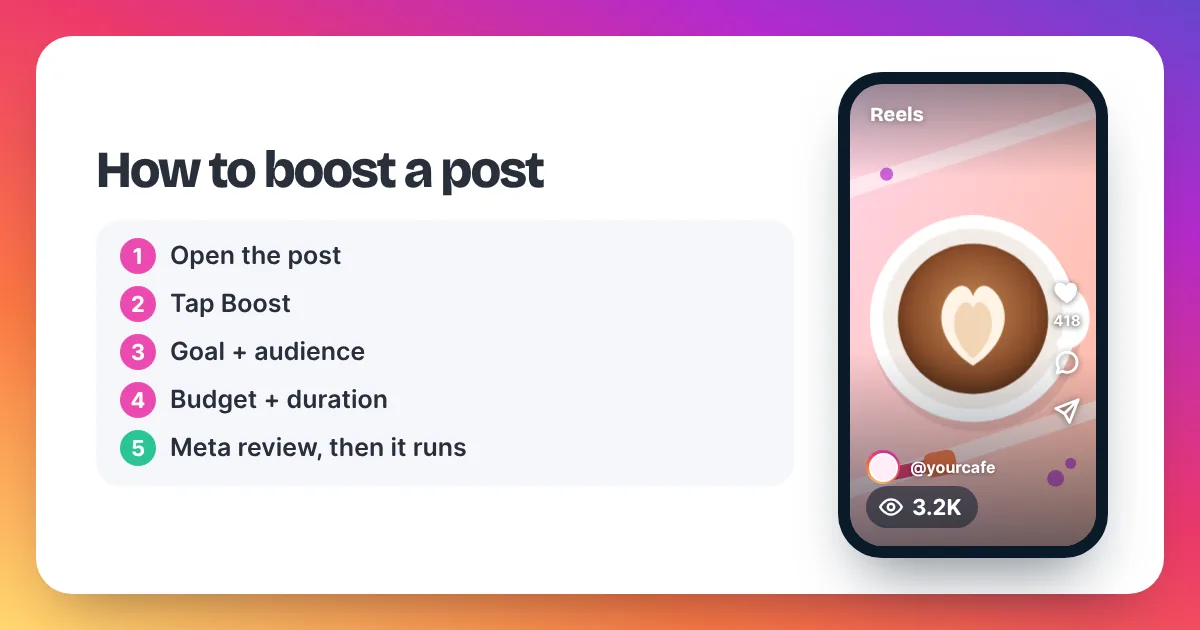
Yes, you can boost a Reel on Instagram from a professional account, the same way you boost a photo post. You tap Boost, choose a goal, audience, budget and duration, and Meta reviews the ad. But not every Reel qualifies. Reels with licensed music or tappable elements, for example, can't be boosted.
A boosted Reel runs as an ad, so it has to follow ad rules that a normal Reel doesn't. Most of the limits are about rights and interactive features. A song from Instagram's music library is licensed for normal posting, not for ads. An interactive sticker such as a poll works for your followers, but a boosted Reel can't contain one.
So before you plan a budget, check that your Reel can be boosted at all. The section below on why a Reel can't be boosted takes about a minute to run through.
How do you boost a Reel on Instagram?
The steps follow Instagram's Help Center. You can boost in the app or on instagram.com in a browser.
- Use a professional account. Switch to a business or creator account in your settings if you haven't. Personal profiles can't boost.
- Open the Reel. Go to your profile, open the Reels tab and tap the Reel you want to promote.
- Tap Boost. If the button is missing or greyed out, jump to the next section.
- Choose a goal. Meta's Business Help Center lists more profile visits, more website visits and more messages.
- Choose an audience. Use the automatic option or build your own.
- Set your daily budget and duration. Note the estimated reach the screen shows.
- Tap Next, check the summary, then tap the final Boost button. The ad goes to review and starts once it is approved.
Instagram's Help Center notes one money detail: boosting in the iPhone app is paid from prepaid funds, and funds added there carry an app store service fee. Boosting from instagram.com in a browser avoids it. For every screen of the flow, see how to boost a post on Instagram, and for budgets, see what boosting costs.
Why can't I boost my Reel?
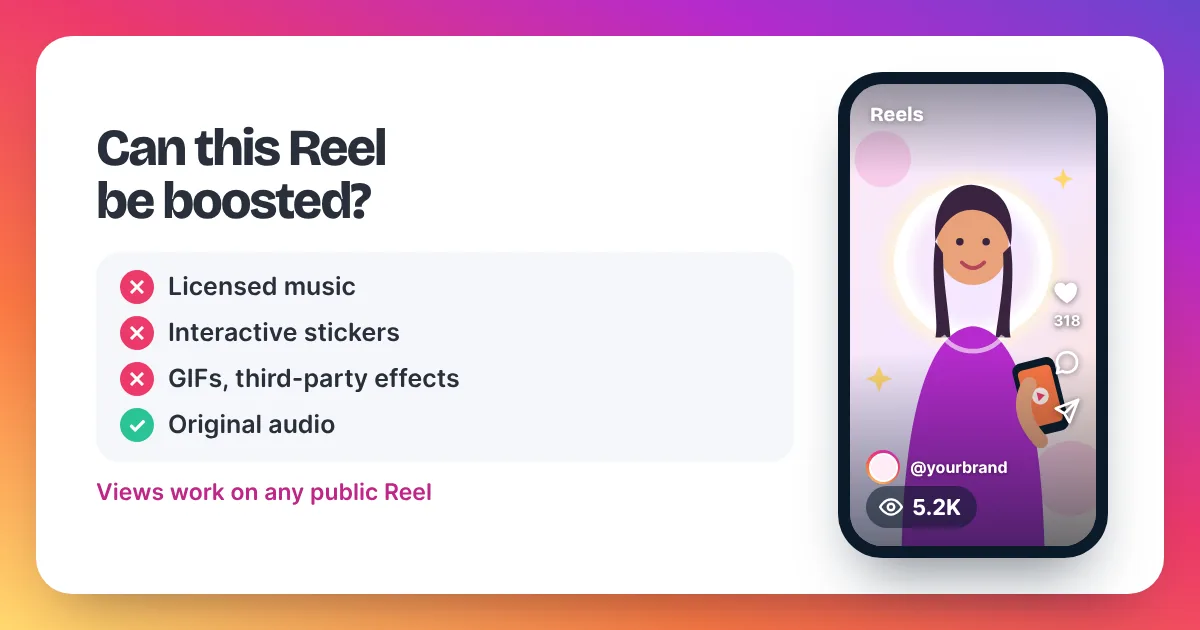
A common reason you can't boost a Reel is licensed music from Instagram's audio library. Instagram's Help Center also says Reels with tappable elements show a "boost unavailable" error. Its Reel boosting page lists GIFs, product tags, interactive stickers and third-party effects or filters too. A personal account can't boost at all.
Instagram limits which Reels can be boosted because a boosted Reel becomes an ad, and ads follow stricter rules than normal posts. Instagram's Help Center says Reels you boost can't use licensed music, which means copyrighted songs and sounds from Instagram's audio library. Instead, it recommends royalty-free music from Meta's Sound Collection or your own original audio. Instagram's troubleshooting page adds that Reels containing tappable elements cannot be boosted, and tells you to choose a different Reel. Instagram's page on boosting Reels also lists face or camera effects, GIFs, product tags, interactive stickers and camera filters from a third party as things a boosted Reel can't contain. On top of that, you need a professional account, and if the account is linked to a Facebook Page, you may need the right role on that Page. Every boost must also pass Meta's ad review before it runs.
Here is the same list as a quick check:
| If your Reel has… | Can it be boosted? | What you can do |
|---|---|---|
| A licensed song from Instagram's audio library | No | Use Sound Collection music or original audio in a new Reel |
| A poll, quiz or other tappable element | No | Boost a different Reel |
| GIFs, product tags or interactive stickers | No | Post a clean version without them |
| Third-party effects or camera filters | No | Post a version without them |
| Original audio and no stickers | Usually yes | It still has to pass ad review |
| A personal account | No | Switch to a professional account |
In our opinion, the practical fix is to export your edit without the song, add Sound Collection music or your own voice, and post it as a new Reel. That costs you the first Reel's views and comments, so it is worth it only for a Reel you really want to promote.
If your Reel passed these checks but the ad was rejected, see our guide on Instagram promotion not approved.
What should you check after boosting a Reel?
Judge the boost on the goal you chose. If you picked profile visits, look at profile activity. If you picked website visits, look at link clicks. If you picked messages, count the new conversations.
Your Reel's own insights show views and accounts reached. Instagram has Reel insights for Reels posted on or after 14 May 2021, and the numbers can take up to 48 hours to settle, so don't judge a boost on its first afternoon. Our guide to Instagram Insights explains each number.
Remember that the reach estimate on the Boost screen counts accounts, while views count plays. Meta defines views as the "total number of times IG Media has been played on Instagram". The two numbers will rarely match.
Boosting a Reel vs buying Reel views: which fits?
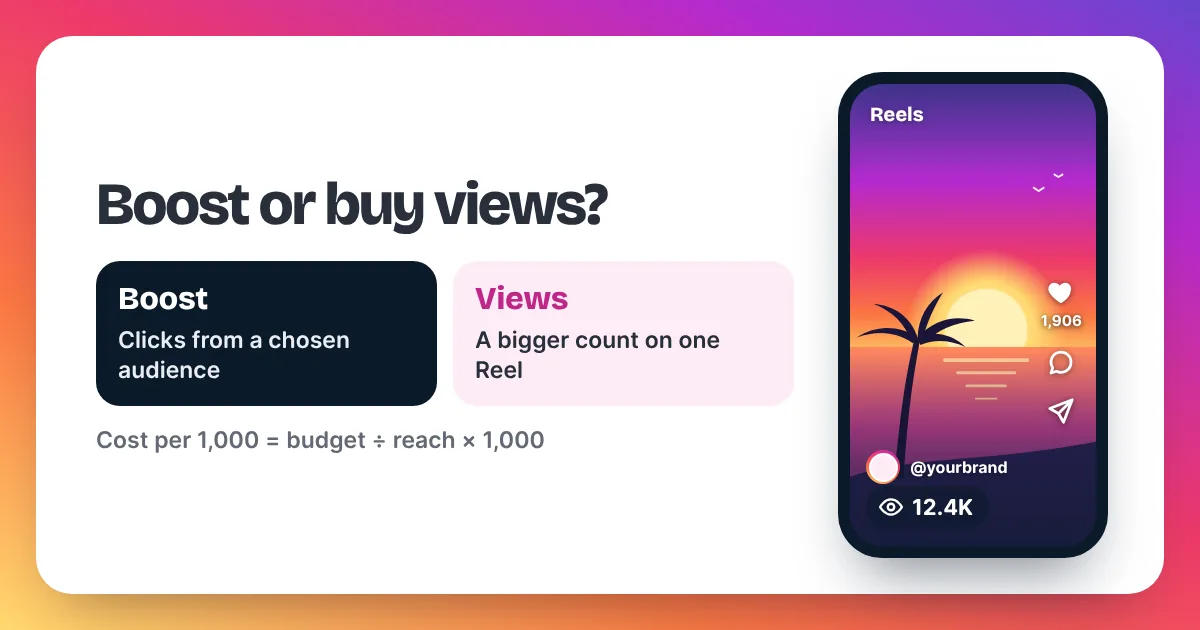
Boost a Reel when you want a chosen audience to visit your profile, open your site or message you. Buy Reel views when you want a stronger public view count on that Reel, fast and at a fixed price. Views also work on Reels that Instagram won't let you boost, such as Reels with licensed music.
| Question | Boosting a Reel | Buying Reel views |
|---|---|---|
| What do you pay for? | Ad delivery to an audience you choose | A set number of views on one Reel |
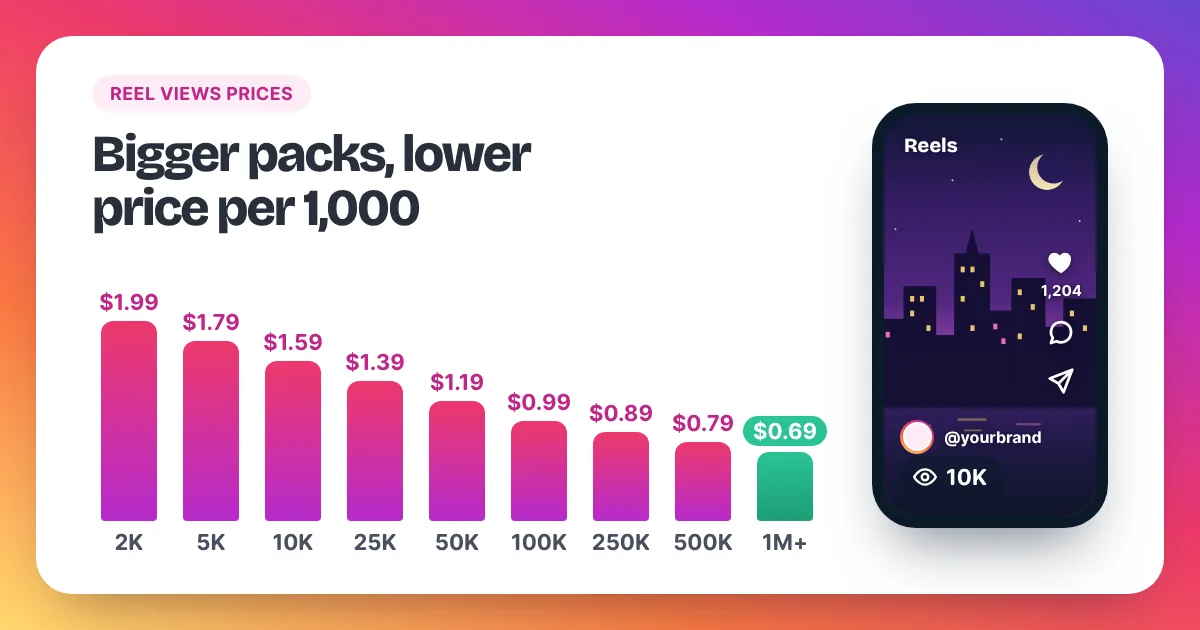
| Price | Your budget; reach is an estimate | Fixed, from $1.99 to $0.69 per 1,000 |
| Licensed music OK? | No | Yes, any public Reel link |
| Stickers or effects OK? | Not interactive stickers or third-party effects | Yes |
| Review before it starts? | Yes, Meta ad review | No; starts 2–5 minutes after payment |
| Brings clicks or messages? | That is the goal you pick | Not by itself |
| Account needed | Professional account | Any public account; link only, no password |
For a wider look at every paid route, including ads and shout-outs, see Instagram Reels promotion options compared.
How do bought Reel views work?
You paste a public Reel link into the order box, choose how many views you want, and send the order. We reply with a payment link, and delivery starts within 2–5 minutes after payment, at a steady pace. You never share a password, and the Reel keeps its music, stickers and effects.
Size the order to your account. A simple rule is 2 to 5 times your usual views per Reel. If your last 10 Reels average 2,000 views, that is 4,000 to 10,000 views. A 5,000-view order costs $8.95, and 10,000 views cost $15.90. Our page to buy Instagram Reel views has the full price list and more sizing tips.
Be clear on what views do and don't do. They raise the public count on one Reel, which gives it social proof when people land on it. They don't add likes, comments, follows or sales by themselves, and they don't guarantee reach. Meta's Spam policy also lists attempts to "artificially increase viewership", and Instagram can remove plays it treats as inauthentic. Keep orders in proportion, and keep making Reels that hold attention. Our guide on how to get more Instagram Reel views covers the free side.
How to boost a Reel on Instagram: FAQ
Why does my Reel say boost unavailable?
Instagram's troubleshooting page says Reels with tappable elements, such as interactive stickers, can't be boosted. Licensed music, GIFs, product tags and third-party effects also block a boost, according to Instagram's Help Center. Pick a different Reel or post a clean version.
Can I boost a Reel with trending audio?
Usually not, if the trending audio is a licensed song from Instagram's library. Instagram's Help Center says boosted Reels can't use licensed music and suggests Sound Collection music or original audio instead. Bought views work on any public Reel, whatever audio it uses.
Can I boost a Reel from a personal account?
No. Instagram's Help Center says you need a professional account, business or creator, to create ads. Switching is free and takes a minute in your settings. Bought views don't need a professional account, only a public Reel link.
How long does a boosted Reel take to start?
Every boost goes through Meta's ad review first. Meta's Advertising Standards say most reviews are done within 24 hours, though some take longer. Our views start within 2–5 minutes after payment.
Do you sell Reel boosts or ads?
No. Instaviews sells views only, for Reels, videos and posts. We don't run boosts, ads or ad accounts, and we don't sell followers or likes. Email support@instaviewspanel.com with any question, 24/7.