Every Reel you post carries two public numbers: a view count and a like count. One is nearly always much bigger than the other. That gap is normal, and it tells you something useful once you know what each number counts.
This guide puts Instagram likes and views side by side. You will see what adds to each count, why reel views and likes grow at different speeds, how to turn the two into one simple percentage, and where to find both numbers on your account.
What is the difference between views and likes on Instagram?
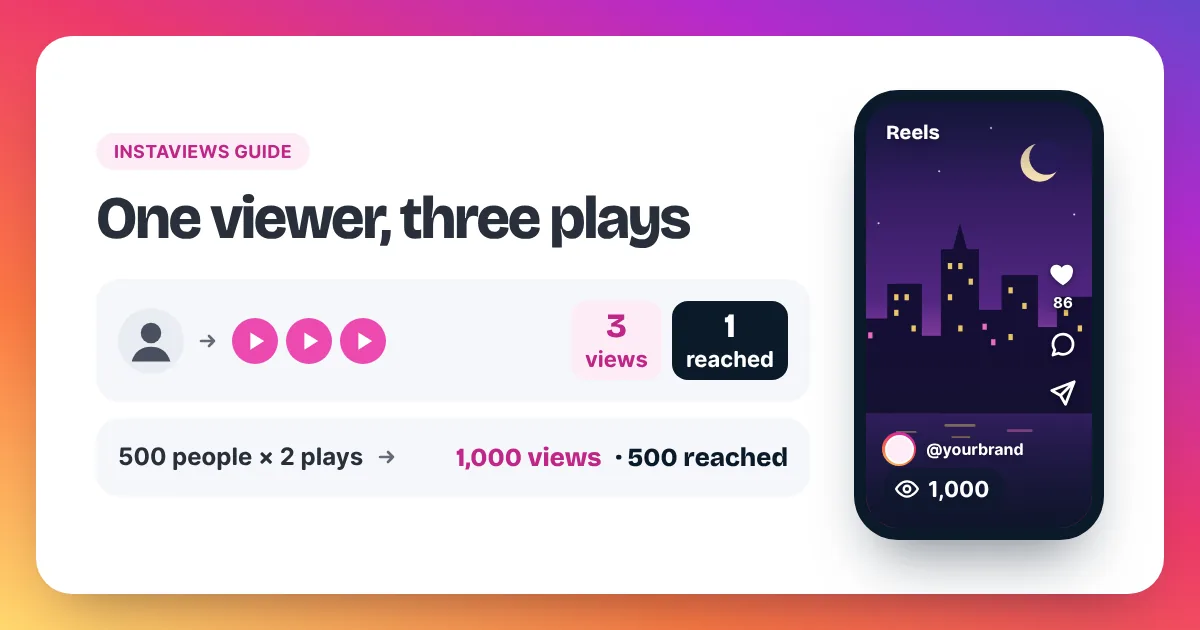
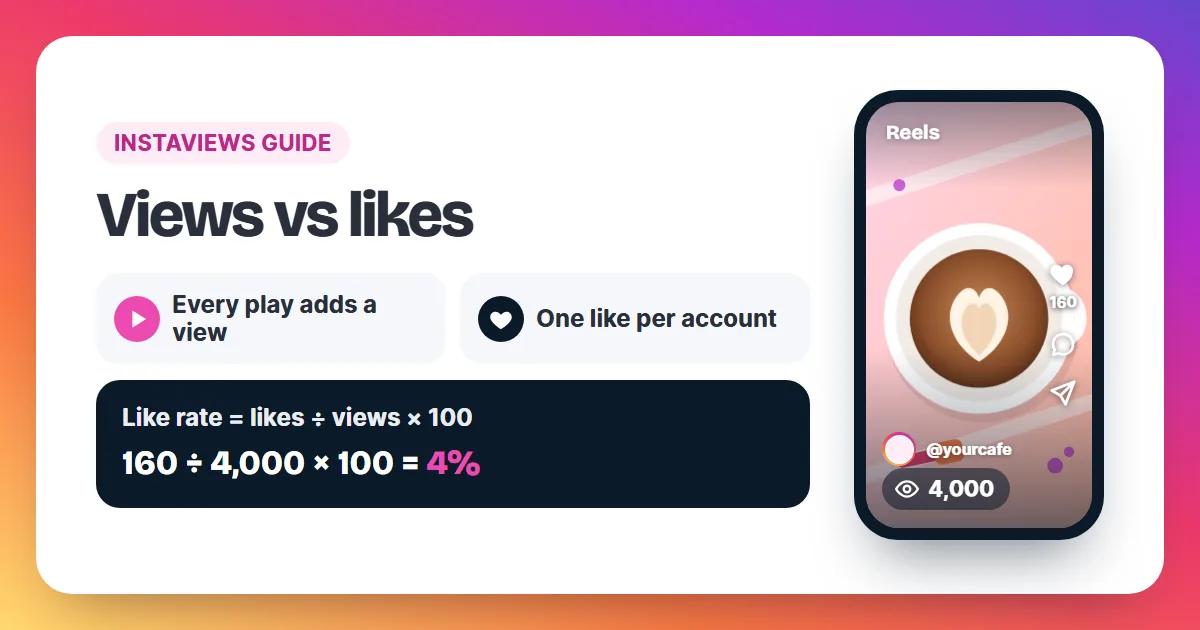
The difference between views and likes on Instagram is plays versus reactions. A view counts each time your Reel starts to play, replays included. A like counts one account tapping the heart, and each account can like a post only once. So views measure how often a Reel ran, and likes measure how many accounts chose to react.
Instagram views and likes measure two different things. Instagram counts a view each time a Reel starts to play, and again each time it replays, with no minimum watch time. Meta's developer documentation defines views as the "total number of times IG Media has been played on Instagram". A like works differently: each account can like a post once, so the like count is a count of accounts that reacted, not of plays. That is why views on a Reel run far ahead of likes. One viewer can add five views by watching five times, but adds at most one like. To compare the two numbers, divide likes by views and multiply by 100. The result is the like rate. A Reel with 4,000 views and 160 likes has a like rate of 4%. Instagram publishes no target for this number, so the fairest test is your own average across recent Reels.
| Views | Likes | |
|---|---|---|
| What adds one | The Reel starting to play, and every replay | An account tapping the heart |
| Limit per account | None: each replay adds another view | One like per account |
| Does the viewer have to act? | No: a play counts once it starts | Yes: the viewer has to tap |
| Who sees it | Shown on the Reel; full detail in Insights | Shown on the Reel and post; also in Insights |
| Can you hide it? | Yes, with Hide like and view count | Yes, with the same setting |
Photos and carousels follow the same split. Their views count each time the post shows on screen, and you read them in Insights. Our guide to how views on Instagram are counted goes through every format.
Why are views on Instagram so much higher than likes?
Views on Instagram run higher than likes because a view needs no action and a like does. A Reel adds a view each time it starts to play, including replays, while a like needs a tap and counts once per account. Plenty of people watch without tapping anything, so the view count pulls ahead.
Three things push the two numbers apart:
- Replays add views, never likes. A viewer who lets your Reel loop three times adds three views and, at most, one like.
- A view needs no decision. Reels start playing as people scroll, and each start counts. A like only happens when someone stops and taps.
- There is no minimum watch time. A one-second play still adds a view. A viewer who swipes away that fast has had no time to decide whether to like it.
So a Reel with far more views than likes is not broken. That is simply how the two counts are built. The real question is not whether views are higher, but by how much, and whether that gap is wider or narrower than usual for you.
How do you work out your Instagram like rate?
To work out your Instagram like rate, divide a Reel's likes by its views and multiply by 100. A Reel with 6,000 views and 180 likes has a like rate of 3%. You can also flip it: 6,000 ÷ 180 gives about 33 views for every like. Both versions describe the same ratio.
Like rate = likes ÷ views × 100
Views per like = views ÷ likes
Here are three Reels worked through both ways.
| Reel | Views | Likes | Like rate | Views per like |
|---|---|---|---|---|
| Reel 1 | 2,500 | 125 | 5% | 20 |
| Reel 2 | 8,000 | 240 | 3% | about 33 |
| Reel 3 | 20,000 | 300 | 1.5% | about 67 |
Use whichever version is easier for you. The percentage is handy for comparing Reels in a list. "Views per like" is easier to picture: Reel 3 earned one like for roughly every 67 plays.
Read both numbers at the same moment, so one has not moved on while you look at the other. If you take them from Insights, give the Reel two days first. Insights can lag by up to 48 hours.
What is a good views-to-likes ratio on Instagram?
There is no official good views-to-likes ratio on Instagram. Instagram does not publish one, and the figures you find online use different methods. The comparison that works is your own: find the like rate across your recent Reels, then judge each new Reel against that usual rate.
- Pick your last 10 Reels.
- Add up their likes. Then add up their views.
- Divide total likes by total views and multiply by 100. That is your usual like rate.
- Work out the like rate of each new Reel and compare it with your usual rate.
Take 10 Reels that add up to 40,000 views and 1,400 likes. 1,400 ÷ 40,000 × 100 = 3.5%. A new Reel with 5,000 views and 225 likes has a 4.5% like rate, a full point above usual. A new Reel with 5,000 views and 100 likes sits at 2%, well below it.
Adding the totals first, instead of averaging 10 separate percentages, stops one tiny Reel from pulling your usual rate around. A Reel with 200 views and 20 likes shows 10%, but it barely moves the total.
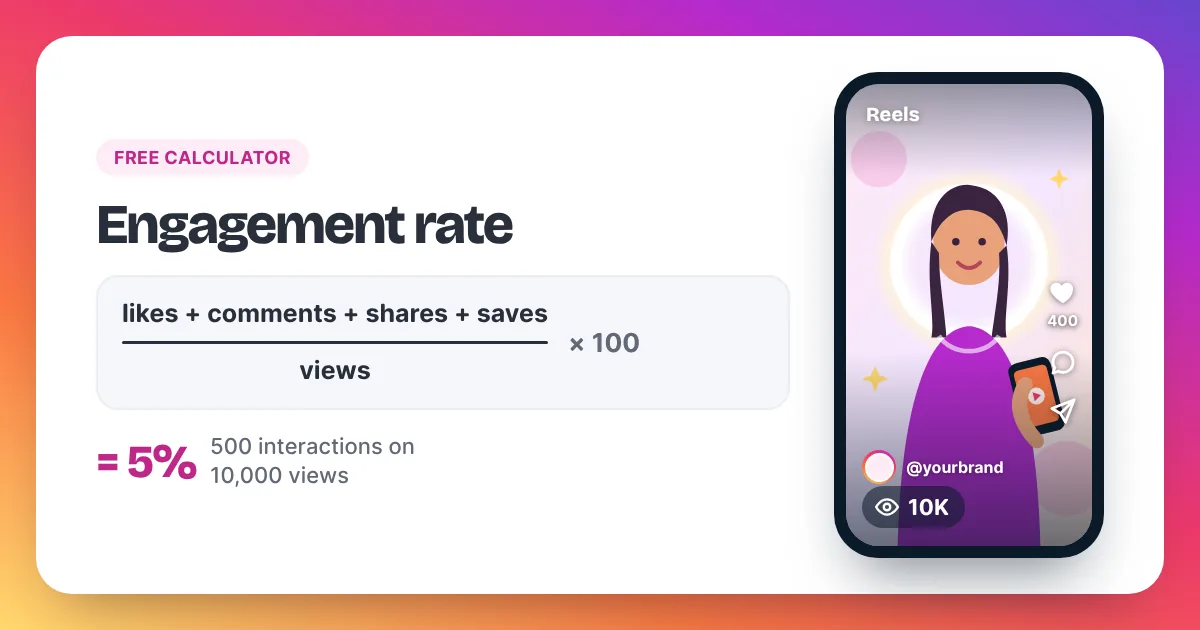
The same "beat your own average" idea works for views. Our guide on how many views is viral on Instagram shows how to set that number. To fold comments, shares and saves into one figure, use our free Instagram engagement rate calculator.
What does it mean when views are high but likes are low?
High views with low likes on Instagram means people started your Reel but did not react. Before you change anything, compare the like rate with your own usual rate. If it really is low, check whether the views came from many people or a few replays, and whether the Reel delivers what its opening promised.
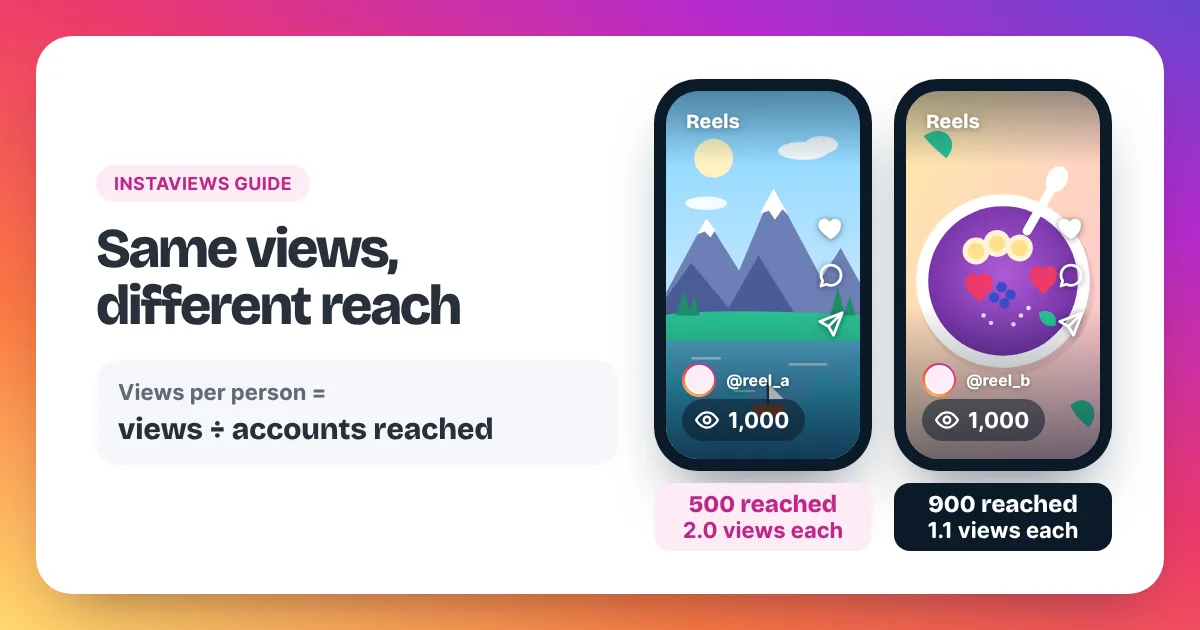
- Check reach. Open View insights and compare views with accounts reached. If views are far higher, a small group is replaying the Reel. Likes can only grow with accounts, not with plays. Our guide on Instagram views vs reach shows how to read the two together.
- Check the opening against the rest. The first second earns the play. The rest of the Reel earns the like. If the Reel drifts away from what the opening set up, people watch and move on.
- Check what the viewer gets. A tip, a laugh, a result or a reveal gives someone a reason to tap. A Reel that only fills time gives them none.
- Check for added views. If you ordered views for the Reel, the view count rose and the likes did not. The next section shows the maths.
Do bought views add likes too?
No. Bought views add to the view count only. Instaviews sells views, not likes, followers or comments. While an order runs, your like rate goes down, because the same likes now sit over a bigger view count. That is the plain maths, so compare a Reel with added views carefully.
A Reel has 5,000 views and 200 likes: a 4% like rate. You add 5,000 views for $8.95. The Reel now shows 10,000 views and, until new likes come in, the same 200 likes: a 2% like rate.
When you track your usual rate, work out a Reel with added views on the views it earned by itself. In this example that is 200 ÷ 5,000 × 100 = 4%, the same as before the order.
Any extra likes come from people who see the Reel and choose to tap. Meta's Spam policy lists attempts to "artificially increase viewership", and Instagram can remove plays it treats as inauthentic, so keep each order in proportion to your normal views. Our homepage guide on how many views to buy suggests 2 to 5 times your usual views per Reel.
Can you hide likes and views on Instagram?
Yes. On your own Reel or post, tap the three dots and choose Hide like and view count. Other people stop seeing both numbers on that post, while you still see them in Insights. In Settings you can also hide the counts on other accounts' posts in your own feed.
Hiding changes what people see, not what Instagram counts. Views and likes keep adding up in the background, so your like rate works exactly the same. You might hide the counts on a Reel you are testing, so viewers judge the Reel and not its number. Our guide on how to hide views on Instagram shows each screen and how to switch the counts back on.
Where can you see views and likes on Instagram?
You see a Reel's view count on the video and on its thumbnail in your profile's Reels tab. The like count sits on the Reel next to the heart. On a professional account, View insights under the post shows views, likes and accounts reached on one screen, the easiest place to compare them.
- Open your profile and tap the Reels tab. Each thumbnail shows its view count.
- Open a Reel. The like count sits next to the heart.
- On a Creator or Business account, tap View insights for views, likes, replays and accounts reached together.
- No Insights yet? Switch to a free professional account in Settings → Account type and tools.
Our step-by-step guide on how to see your Instagram views covers photo posts, older videos and the computer version too.
Instagram views and likes: frequently asked questions
Do likes count as views on Instagram?
No. They are two separate counts. Tapping the heart does not add a view, and a play does not add a like.
Can one person like a Reel more than once?
No. Each account can like a post once. The same person can play the Reel as often as they want, and each play adds a view.
Is like rate the same as engagement rate?
No. Like rate uses likes only. Engagement rate adds comments, shares and saves to the likes before you divide. Divided by the same views, it is always the same as the like rate or higher.
Which matters more, views or likes?
Neither tells the full story alone. Views show how often a Reel ran. Likes show how many accounts reacted. The ratio between them, compared with your own usual rate, says more than either number by itself.
Why can I see likes on my photo but no views?
Photo and carousel posts keep their views in Insights, not on the post. Switch to a free professional account and tap View insights under the post to see both.
Sources named in this guide: Meta for Developers, Instagram media insights metrics (the definition of views), and Meta's Spam policy. You can read more about Instaviews and our authors.